
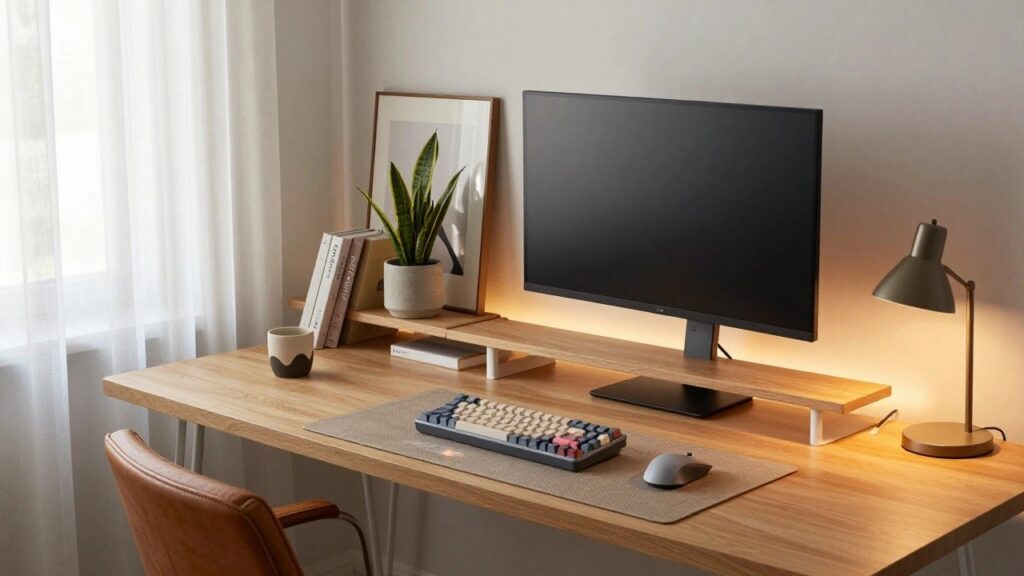
I’ve rearranged my gaming desk more times than I can count, and each shift showed me how it anchors the room’s energy. A messy setup pulls focus in all the wrong ways, but clean lines and good flow let the space breathe around it. I finally got mine right by mounting monitors at eye level, which opened up the desk surface and made late-night sessions less of a strain on my neck. These ideas build on that kind of practical fix, blending storage that hides cables with lighting that highlights your gear without overwhelming the room. One or two could reshape your corner just like that.
Desk Shelf for Gaming Monitor
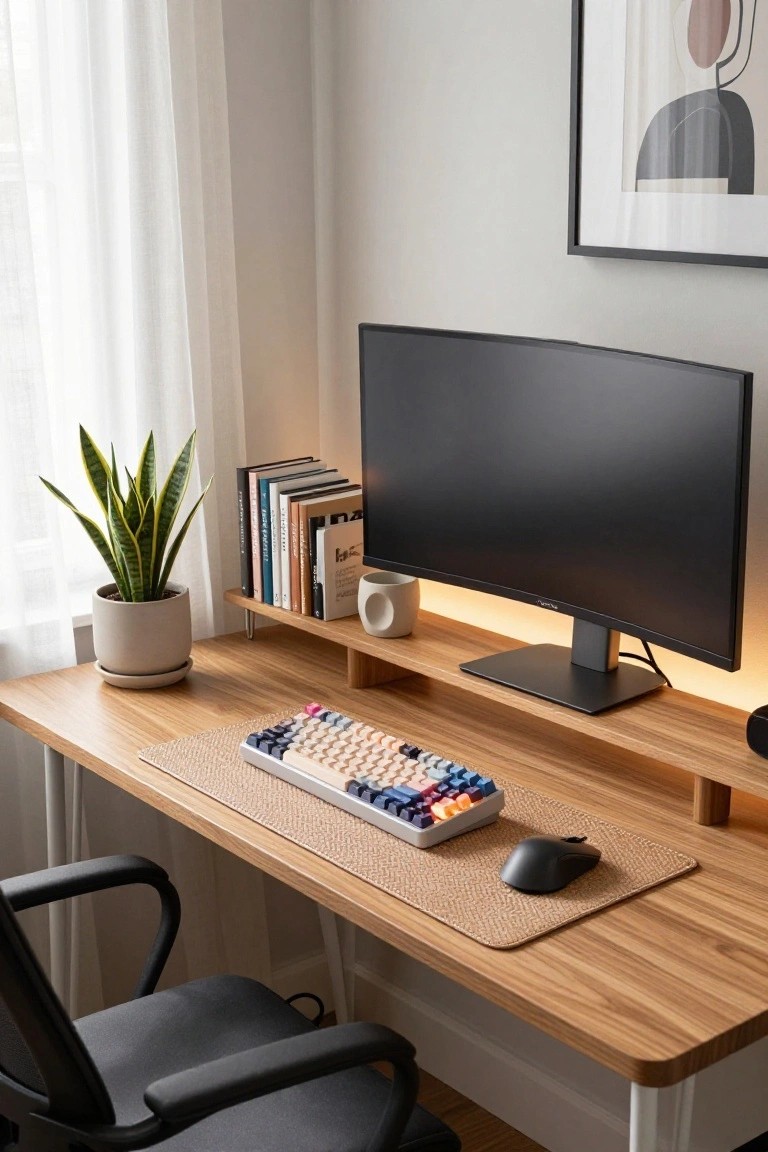
A simple wooden shelf sits right above the desk surface in this setup. It holds the curved monitor up high and leaves room below for the keyboard and mouse. This keeps the workspace clear and focused. The natural wood tone fits right in with the tech without overpowering it.
You can add one like this to most any desk. It works best in compact rooms where every inch counts. Pair it with a plant nearby for a touch of green. Just make sure it’s sturdy enough for the monitor weight.
Rustic Wood Desk on Pipe Legs
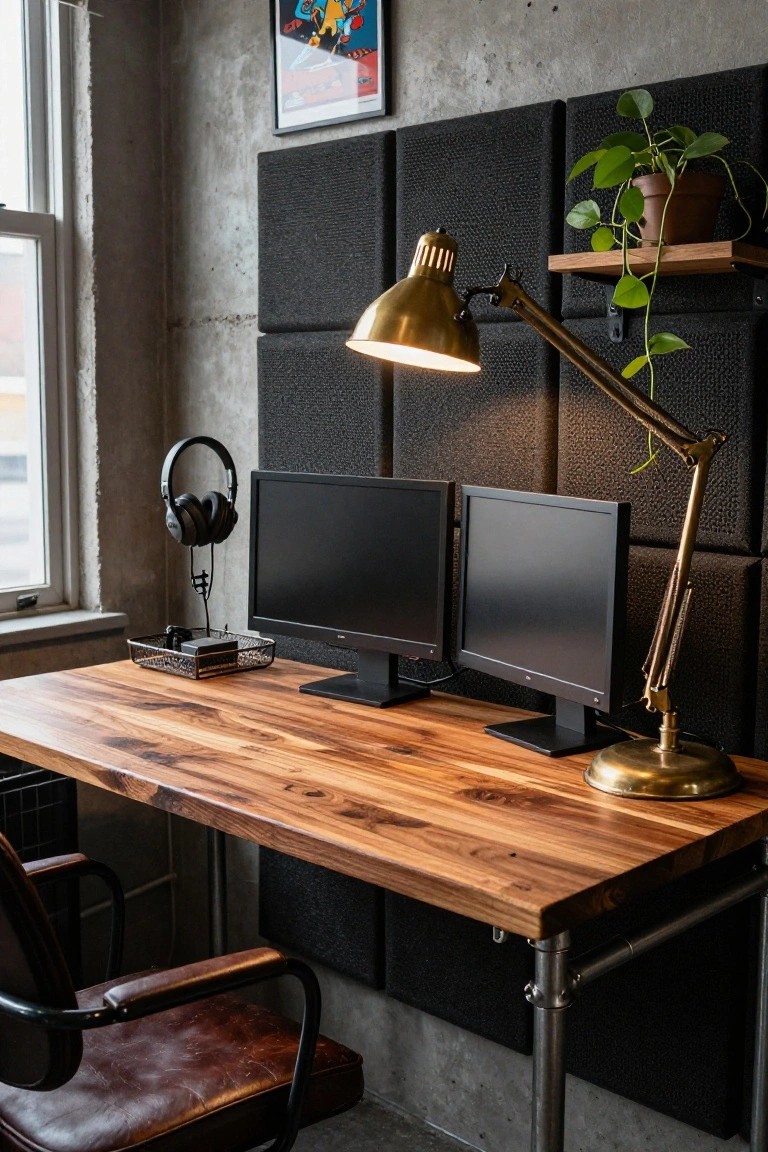
A simple desk like this one stands out with its thick walnut top sitting on basic black pipe legs. The wood brings some natural warmth to what could feel too cold or factory-like, while the pipes keep it tough and open underneath for cables or foot space. Dual monitors fit right on top without crowding, and that gold lamp adds just enough glow for late-night sessions.
This works best in lofts or spare rooms where you want gaming gear to blend in rather than take over. Source a live-edge slab from a lumber yard and weld or bolt on plumbing pipes for legs. It’s cheap to put together. Watch the height though. Gamers usually need it a bit lower for keyboard comfort.
Pegboard Storage Behind the Gaming Desk
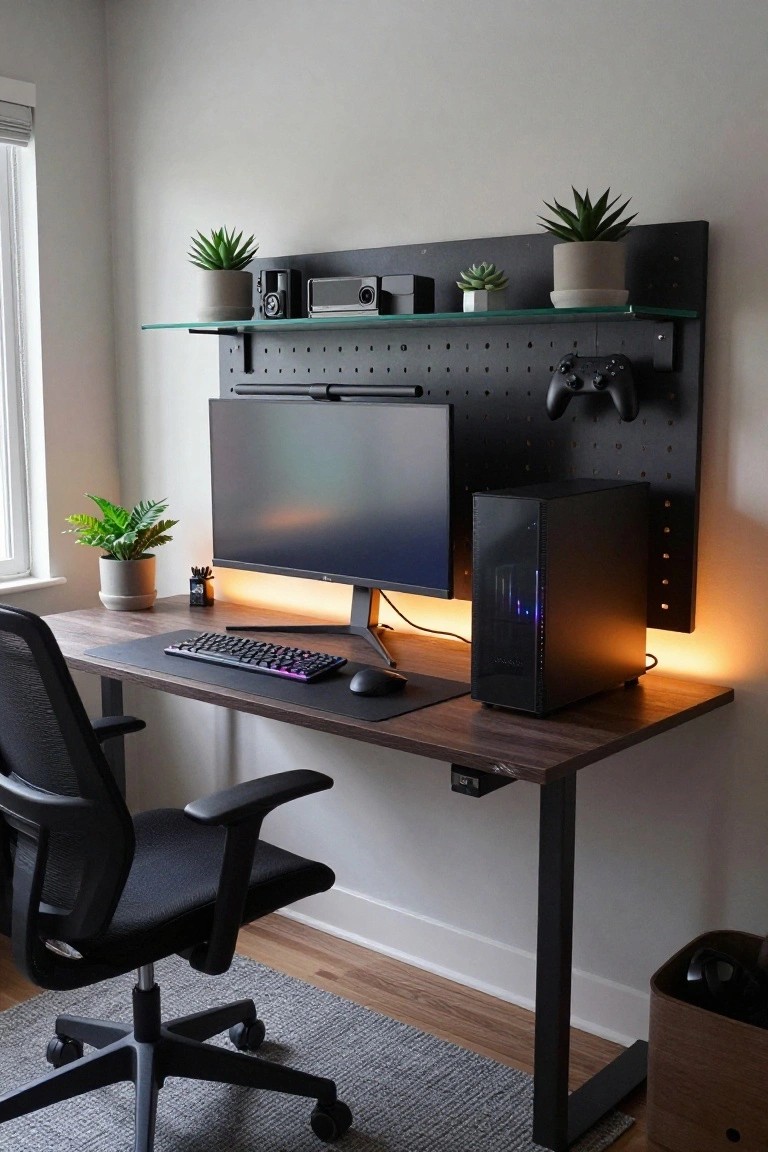
A pegboard wall right behind the desk is a smart way to keep gaming gear organized and easy to grab. In this setup, it holds controllers, speakers, and a few plants without cluttering the desk top. That leaves room for your keyboard and mouse, and it turns the wall into useful space instead of just blank.
This works well in apartments or smaller rooms where you need to maximize every inch. Bolt the pegboard panel to studs for stability, then add hooks, shelves, or clips for cables and headsets. Skip heavy items, and toss in some greenery to keep it from feeling too industrial.
Triple Monitor Gaming Desk Setup
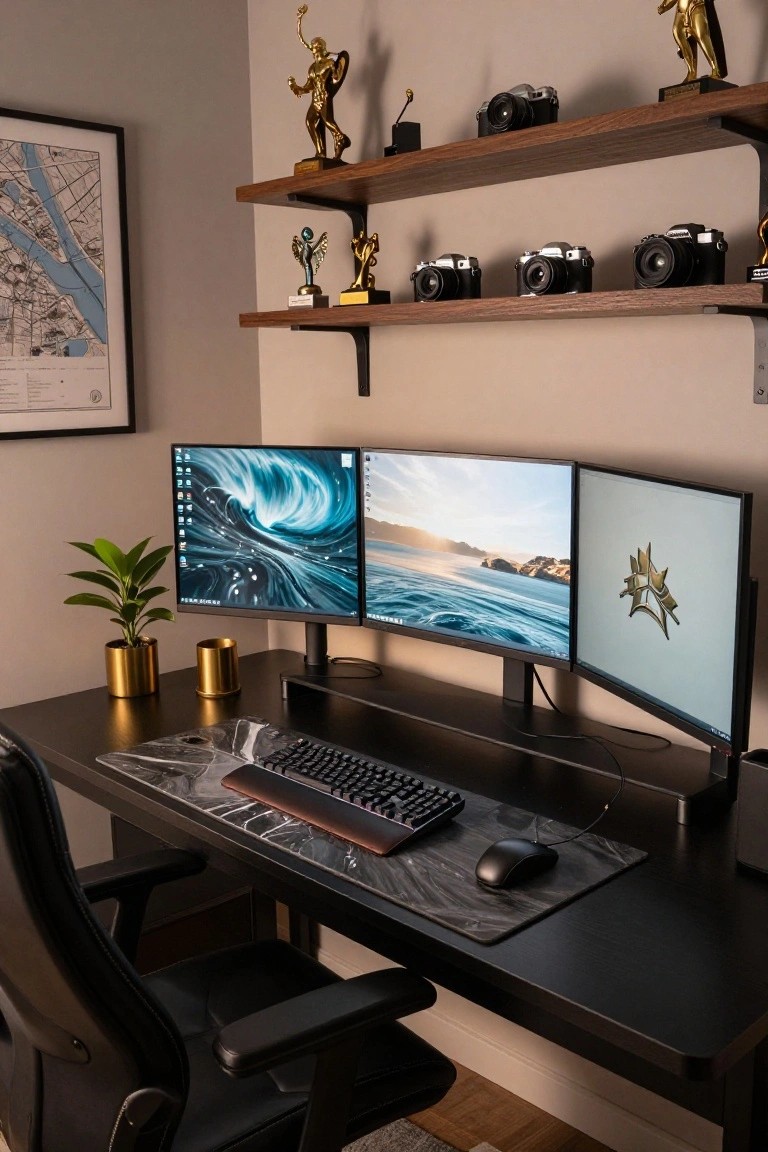
A triple monitor setup like this takes your gaming station to the next level. Mounted on a sturdy central stand, the three screens create a wide immersive view without crowding the desk. It keeps everything in easy reach, and the black desk surface stays clean and focused. Up top, floating wood shelves hold gold trophies and old cameras, turning the space into a personal showcase.
This works best in a dedicated corner room where you want productivity mixed with gaming. Pair it with a wide mechanical keyboard and a simple mouse pad, maybe add a plant for a touch of green. Skip busy walls, keep the backdrop neutral so the screens pop. It’s practical for long sessions… just make sure your stand supports the weight.
Playful Pastel Gaming Desk
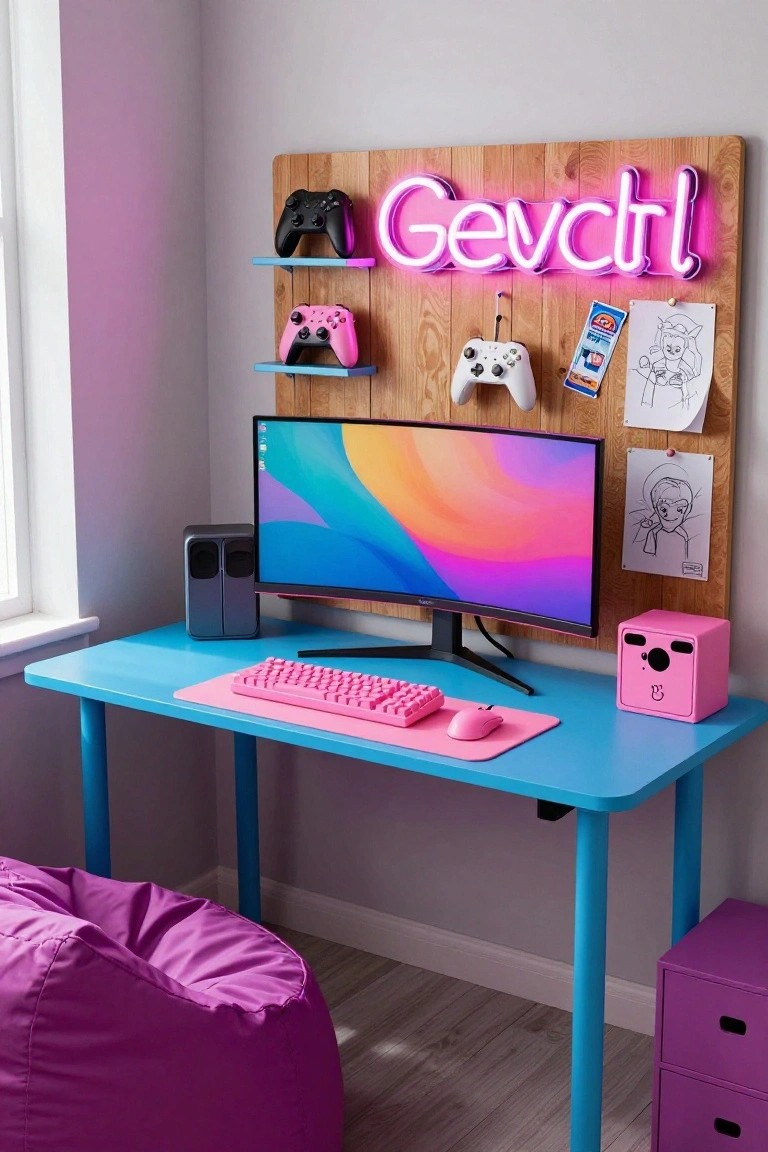
A gaming desk like this one keeps things light and fun with pinks and blues all over. The blue desk holds a pink keyboard and matching mouse right next to a curved monitor. Up top, a wooden board with shelves and a neon name sign pulls it together. It makes the space feel personal without being too busy.
This works best in a kid’s room or small corner where you want energy but not clutter. Pick soft shades that match your controllers or chair, like the purple bean bag here. Just make sure cables stay tucked away so it stays neat.
Monitor Riser on a Standing Desk
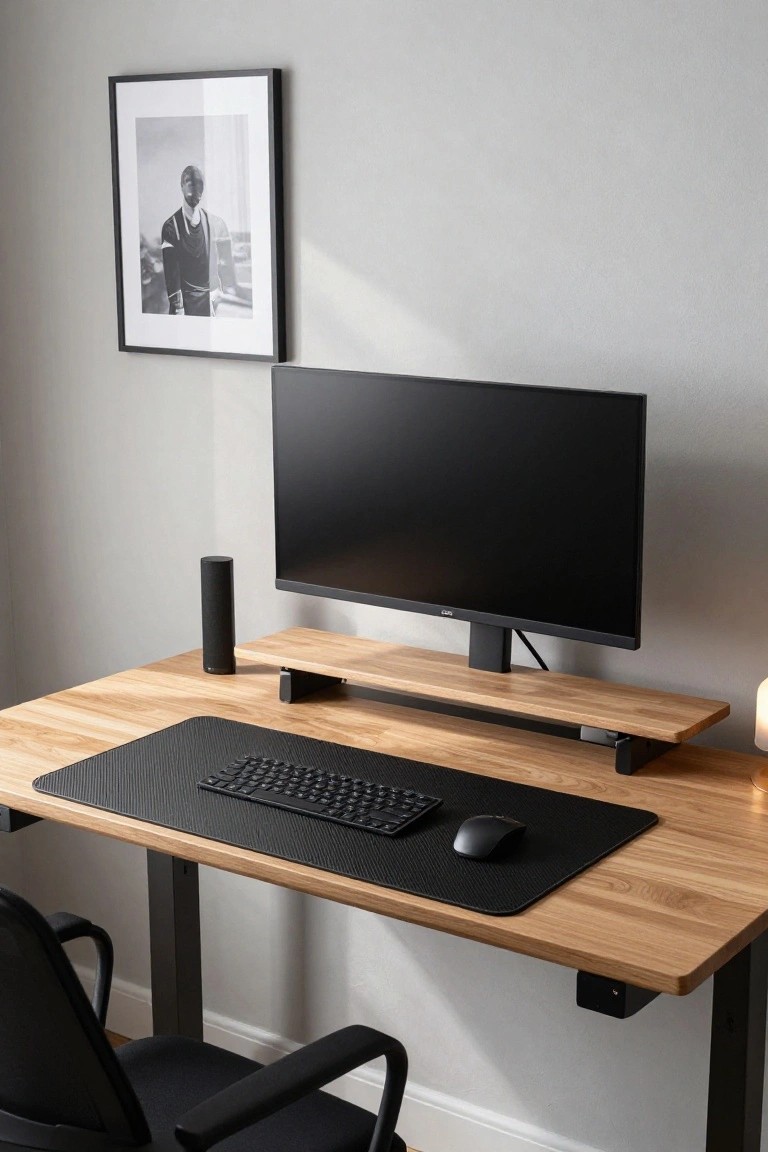
One practical way to improve a gaming desk is adding a simple monitor riser. This setup lifts the screen to eye level for better posture during long sessions. It also frees up space underneath for things like a smart speaker. The wood riser here matches the oak desk nicely, keeping everything looking cohesive without much effort.
You can find these risers in wood or metal to fit your style. They work best on standing desks where you adjust height often. Pair it with a large desk mat for your keyboard and mouse. Just make sure the stand supports your monitor’s weight to avoid any wobble.
Corner Built-In Gaming Desk
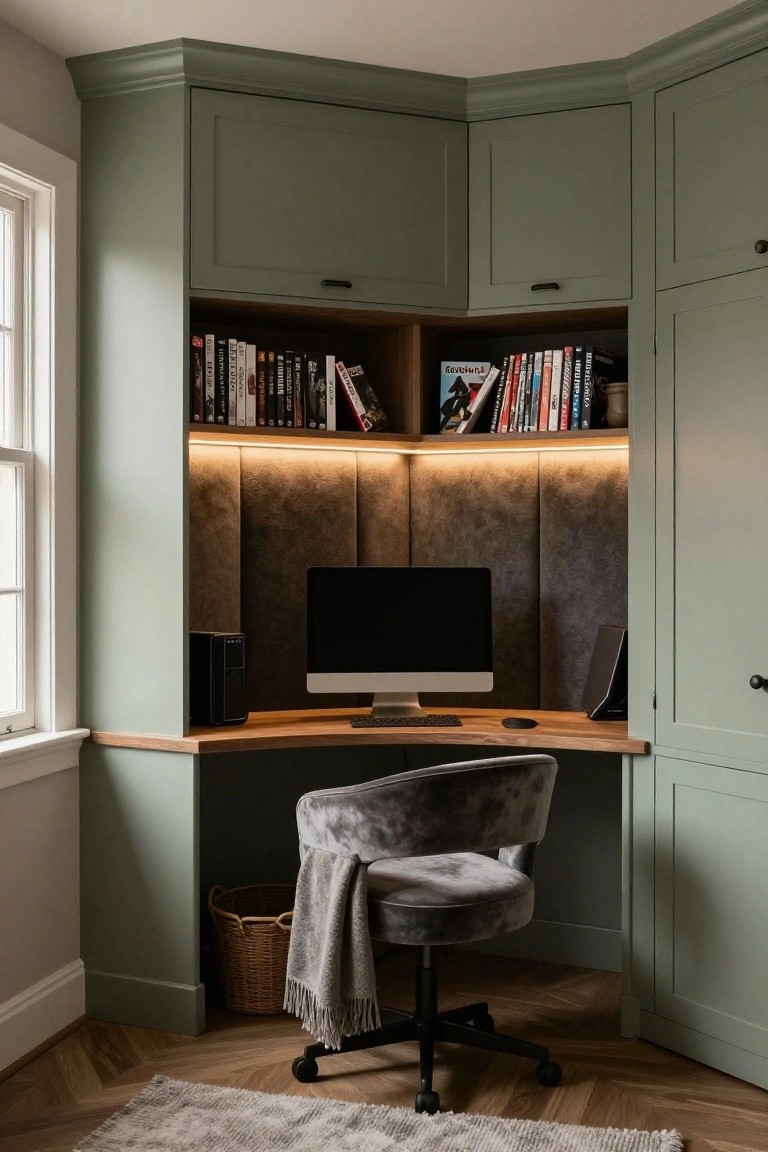
A corner built-in desk like this turns an awkward spot into a real workhorse for gaming or daily use. Sage green cabinets wrap around the space, with open shelves for games and books right above the desk surface. That thin LED strip under the shelves gives off a soft glow that makes everything feel focused without being harsh.
It’s perfect for smaller rooms where you want storage without eating up floor space. Fit it into a home office or bedroom corner, pair the wood top with your setup, and add a comfy chair. Just measure twice before building to match your gear.
Rustic Wood Gaming Desk on Metal Legs
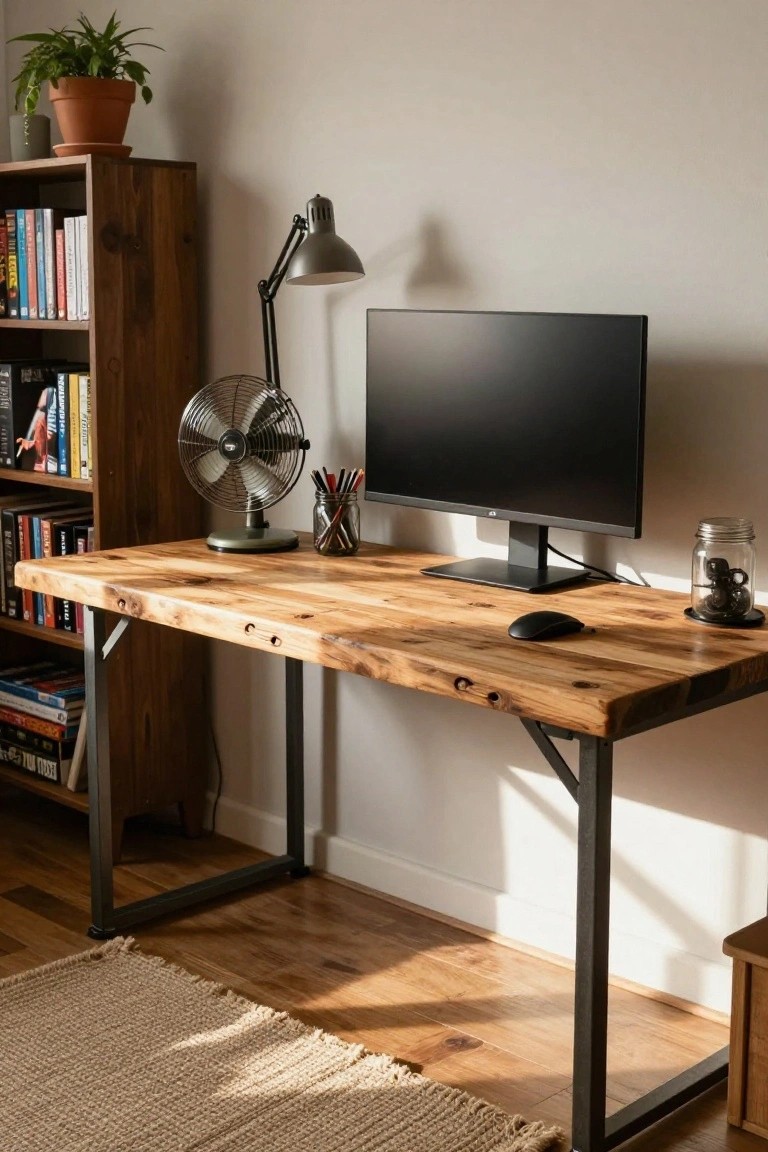
A gaming desk like this one starts with a thick slab of reclaimed barn wood for the top, paired with simple black metal legs. The rough texture and knots in the wood bring warmth and a bit of story to your setup, making it feel less like a sterile workstation and more like a comfortable spot you’d actually want to spend hours in. That contrast with the clean black monitor really pops too.
This style fits right into a home office or extra bedroom, especially if you have wood floors or shelves nearby. Bolt the legs securely since the top can get heavy with gear, and keep it near a window for good light. It’s sturdy for daily use… just wipe the wood now and then to keep it looking good.
Coastal Gaming Desk Setup
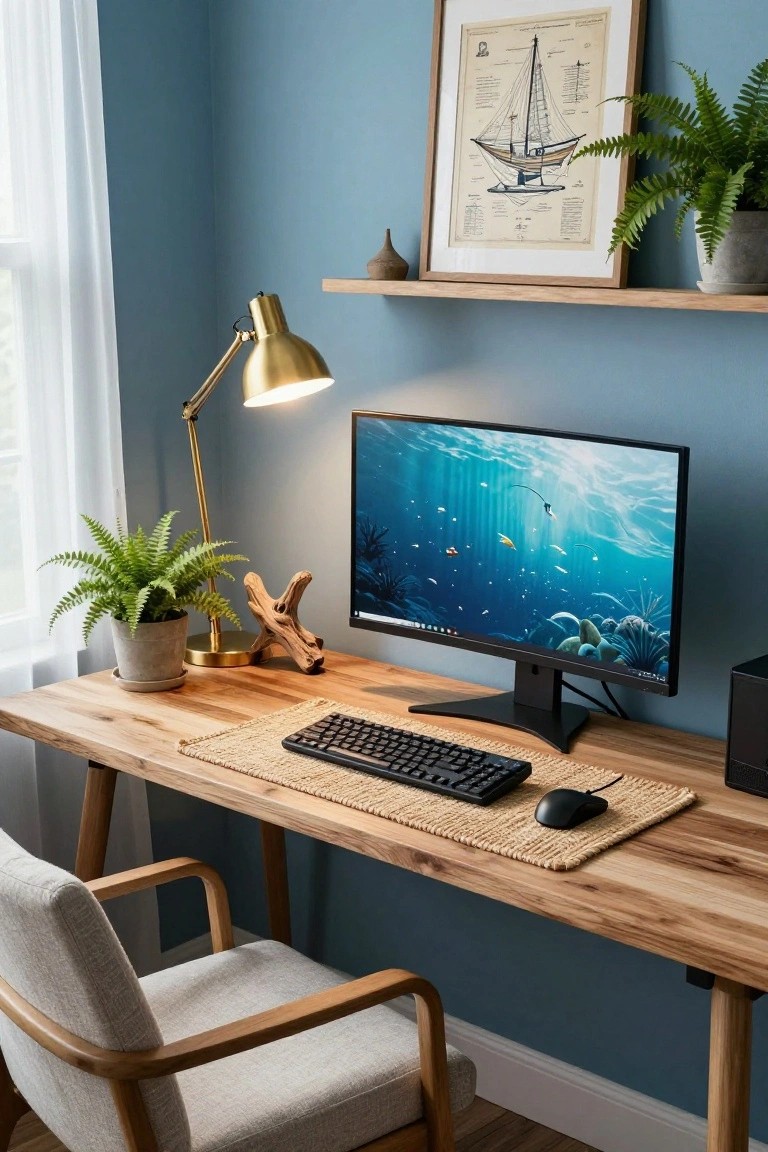
This gaming desk pulls off a relaxed coastal look right in your home office. A sturdy wooden desk holds the monitor, keyboard, and mouse, while potted ferns and driftwood add that natural beach touch. Teal walls and an underwater screen saver keep the ocean theme going without overwhelming the space. It makes long gaming sessions feel calmer, almost like you’re by the sea.
Try this in a small room where you want tech to blend with everyday living. Start with a live-edge wood desk and seagrass mat under your gear. Toss in a couple plants and a simple ship print on the wall. It suits apartments or cozy corners best… just keep cables tidy so the vibe stays clean.
RGB Lighting on a Gaming Desk
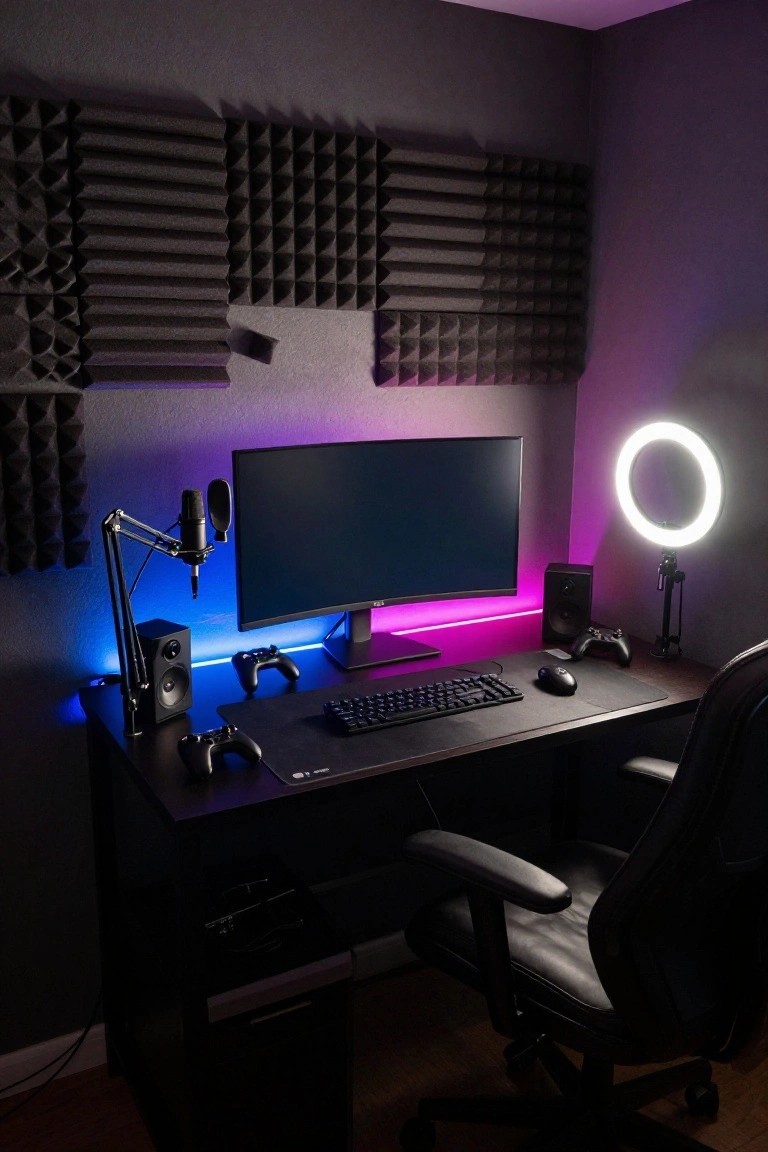
LED strips run along the shelf edge and behind the monitor stand here, casting a purple-blue glow over the whole desk area. It pulls the dark setup together without needing much else. The foam panels on the wall keep sound in check too, which fits a gaming or streaming spot nicely.
These lights are simple to stick in place under shelves or desks. They suit smaller rooms with dark walls best, where the color really shows up. Pick ones that change with your setup if you want, but steady glow works fine for everyday use.
White Desk with Natural Wood Accents
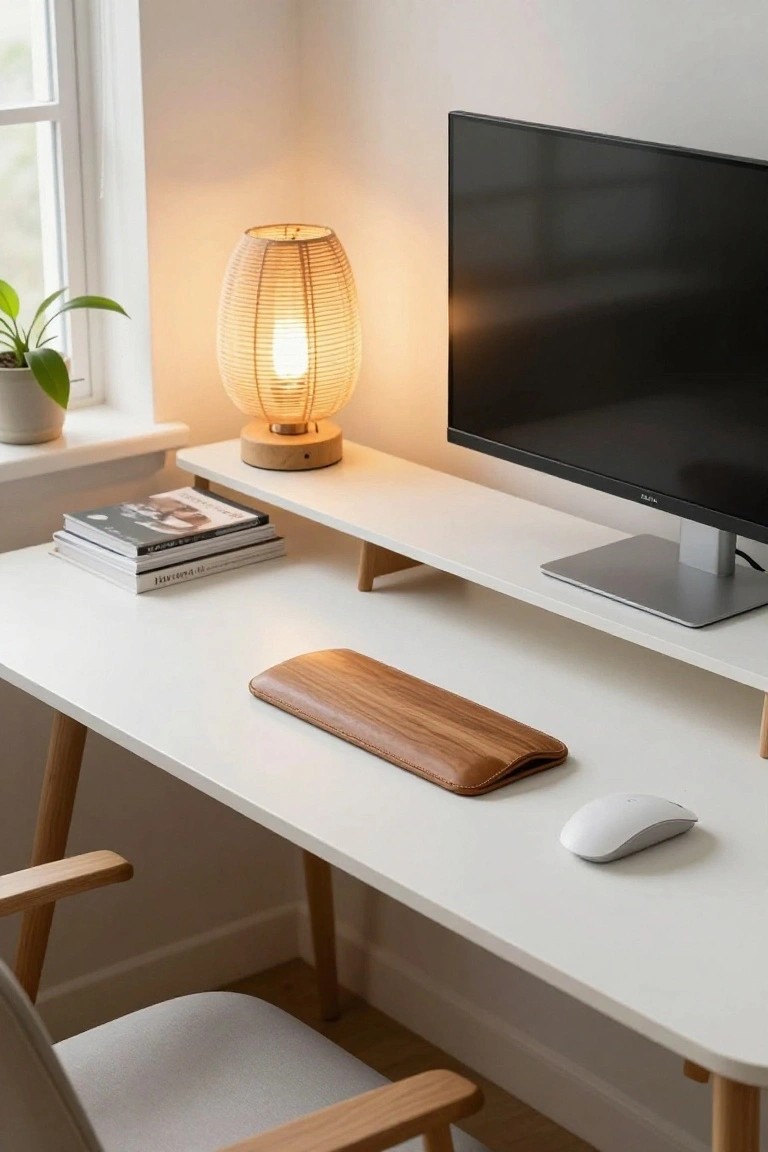
A simple white desk gets a lot more inviting when you add natural wood accents. In this setup, oak legs and a wooden wrist rest bring some warmth without cluttering things up. It keeps the look clean for gaming or work, but feels cozy enough to sit at for hours. The light room around it helps too.
This works best in a corner spot where space is tight. Go for pale woods on white furniture if you want that airy Scandinavian feel. It suits apartments or home offices. Just keep the top clear except for essentials, or it loses that open vibe.
Dual Monitors with Rainbow Keyboard
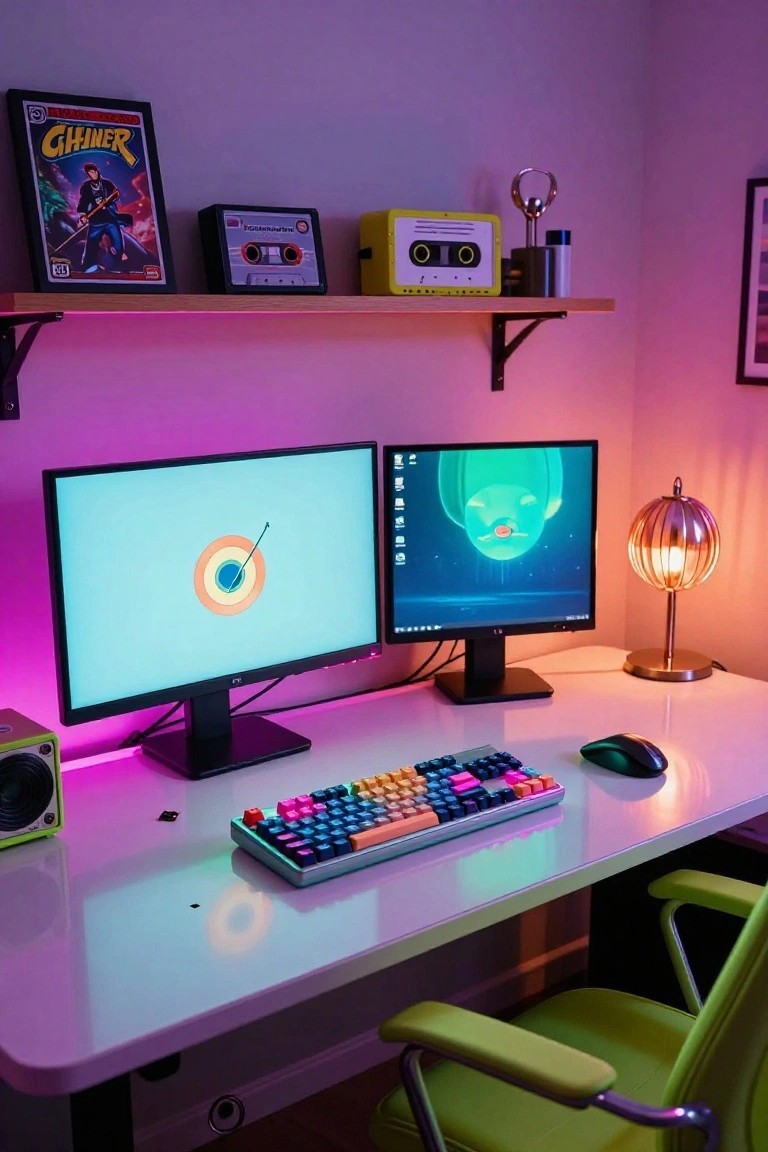
A clean white desk like this one lets your gaming gear shine. Dual monitors handle multitasking or dual-screen games easily, and that mechanical keyboard with its wild rainbow keys pulls everything together. Purple RGB lights around the edges add a fun glow without overwhelming the space. It’s simple but packs a punch for gamers who want energy in their setup.
Try this in a corner room where you can control the lighting. It works best in smaller spots, keeping the desk surface plain so colors pop. Watch the light levels at night, though. Too much RGB can wash out your screens, so dial it back if needed.
Brass and Marble Gaming Desk
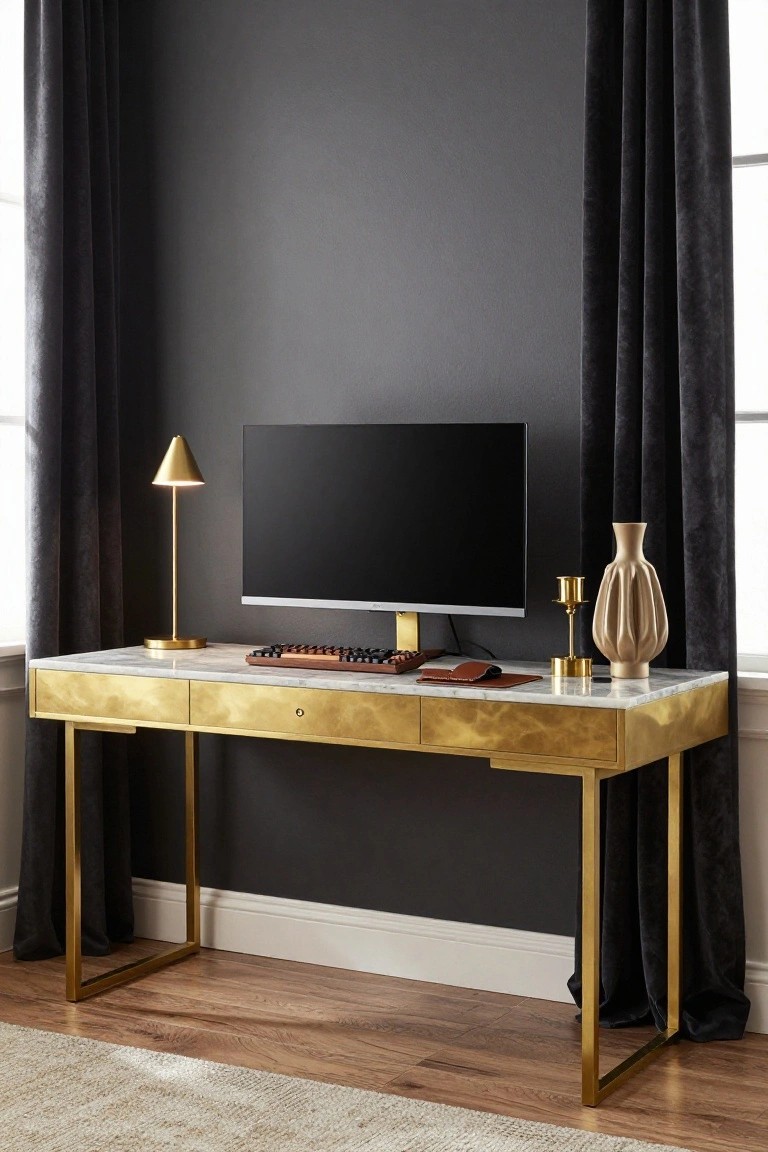
A brass-framed desk with a marble top turns a basic gaming station into something that feels more like fine furniture. The gold legs catch the light just right, and the white stone surface keeps everything clean and bright. It fits gaming gear like a monitor and keyboard without looking cluttered or cheap.
This works best in a room with dark walls, where the metal pops. Try it in a home office or spare bedroom. Keep accessories minimal, like a leather mouse pad and one lamp. Just make sure the desk has room around it so the legs don’t feel squeezed.
Gaming Desk with Pegboard Storage
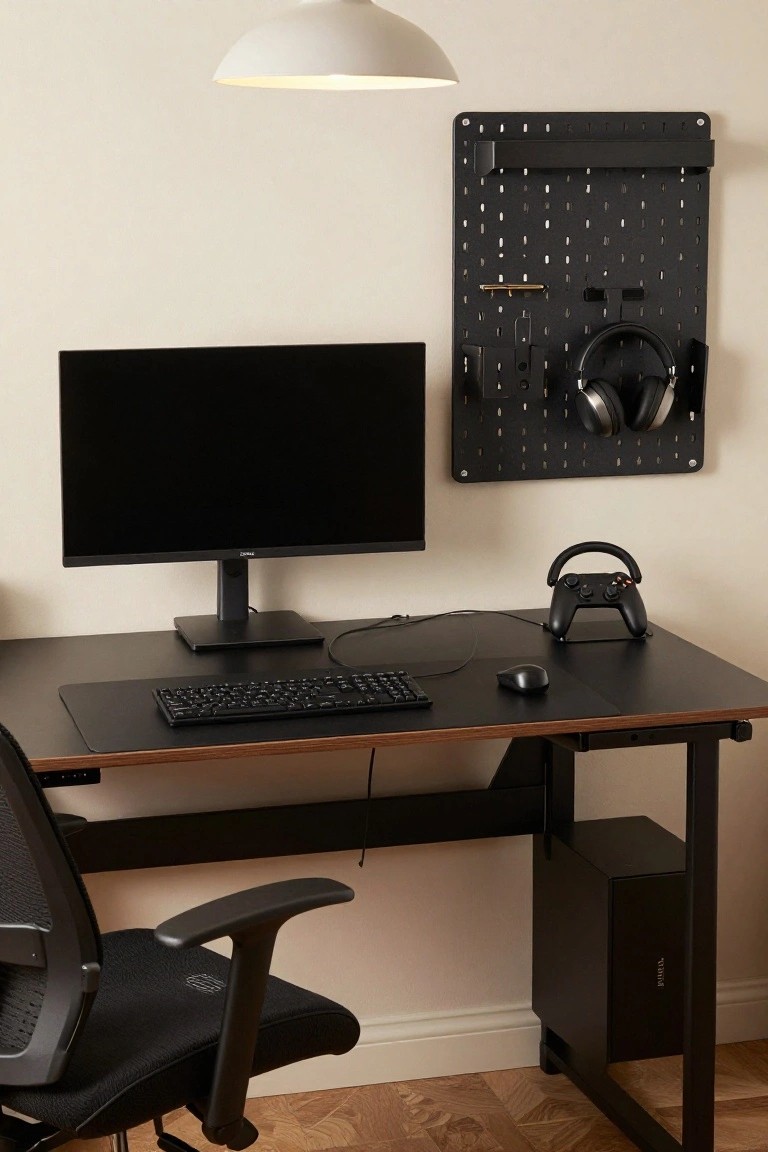
A pegboard wall panel turns a basic gaming desk into something practical and organized. Mounted right beside the monitor, this black one holds headphones, a controller stand, and a few small tools without crowding the workspace. It keeps cables tidy too, since everything has a spot.
This setup fits well in a home office or spare room with limited wall space. Pick a slim panel that matches your desk color, add hooks for your most-used gear, and position it where you grab things quick. Just avoid overloading it so it stays level.
Rattan Desk Adds Warmth to Gaming
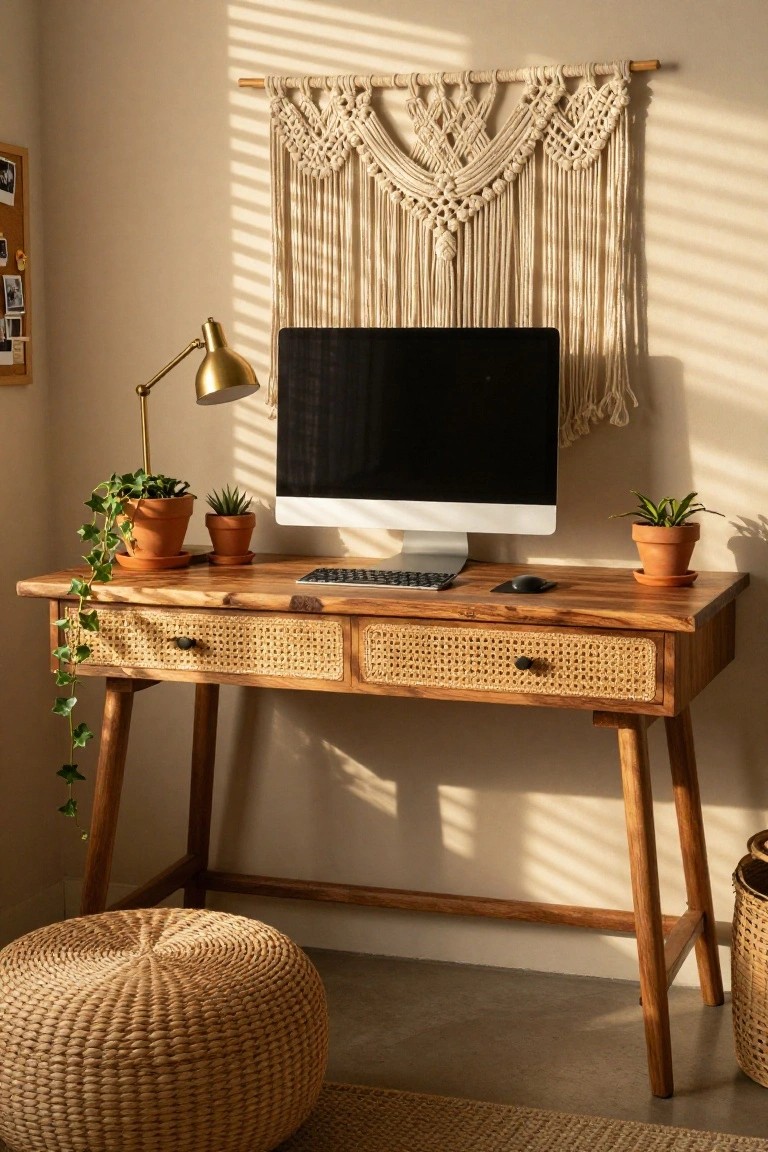
A rattan-fronted wooden desk like this one turns a gaming station into something cozy and lived-in. The woven drawers mix nicely with the solid wood top, and a trailing ivy plant softens the edges around the monitor and keyboard. It keeps tech from feeling cold, especially with sunlight filtering in.
This works best in a bedroom or small office where you want a relaxed spot for long play sessions. Use a woven pouf for the stool to match, and keep plants low-maintenance. Skip it if your space needs super sleek lines.
Gaming Desk with RGB Accents
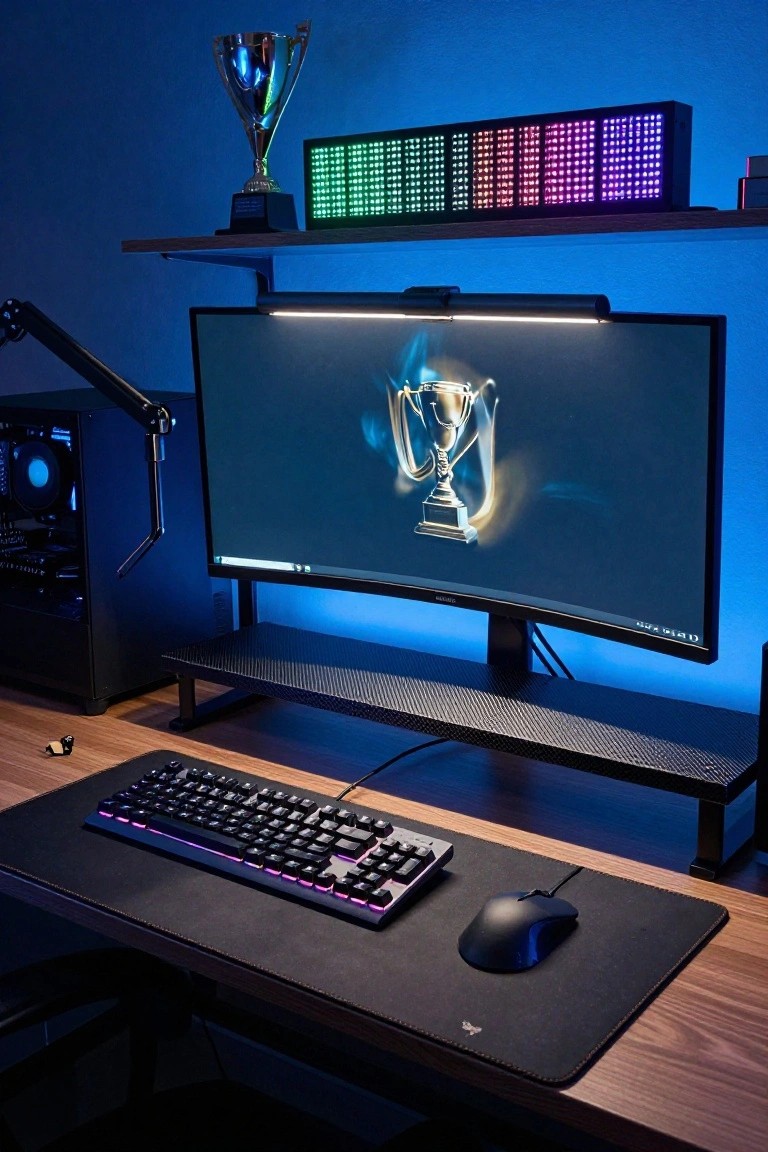
A gaming desk like this pulls together RGB lighting from the keyboard, LED panels on the shelf, and glowing peripherals to give the whole setup a unified vibe. That trophy sitting right above the monitor keeps things personal and reminds you of your wins. It turns a basic desk into something energizing without much clutter.
You can try this in any spare room corner. Pick matching RGB gear first, then add a simple shelf for awards or small screens. It suits smaller spaces well. Watch the cable management though, or it starts looking busy.
Rustic Communal Gaming Desk
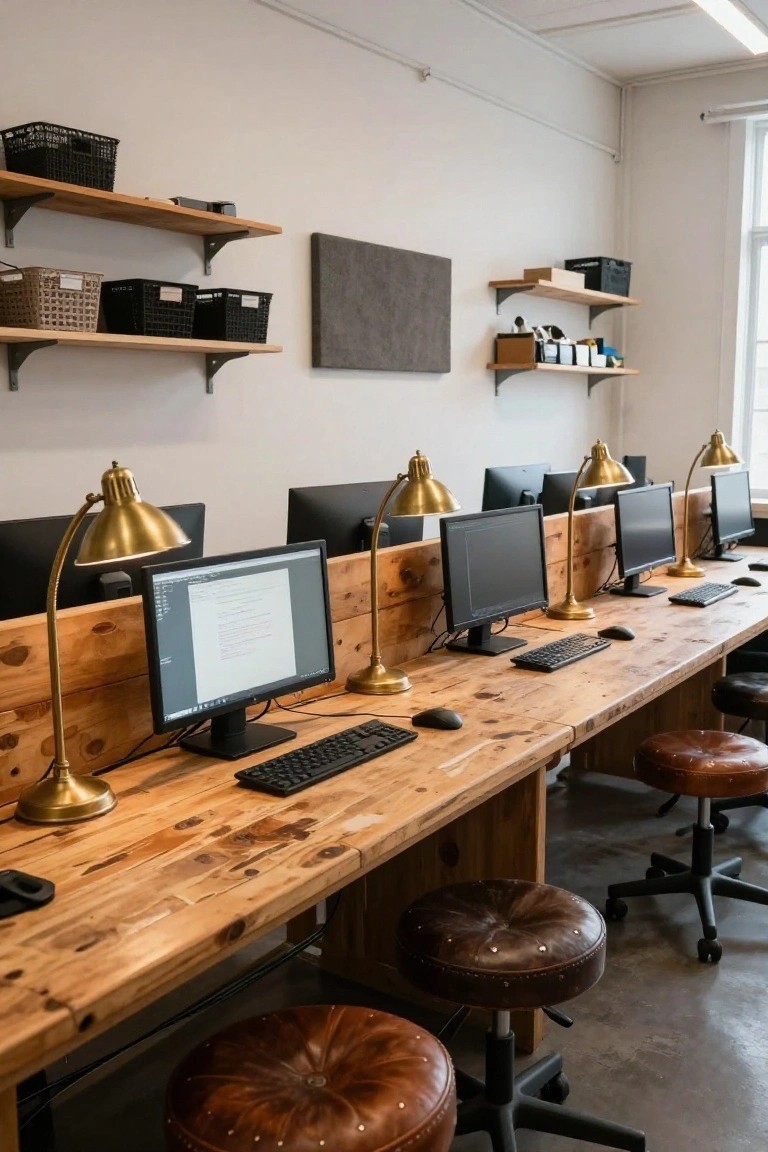
A long wooden table turned into a shared gaming desk lets multiple setups run side by side without feeling cramped. The rough pine surface and brass lamps give it a warm, workshop vibe that suits gamers who want function over fuss. It stands out because it skips individual desks for one big surface.
This works best in a dedicated game room or basement where space is shared. Go for sturdy stools like the leather ones here, and add wall shelves nearby for cables and gear. Avoid glossy finishes. They fight the casual wood look.
Gaming Desk Under the Stairs
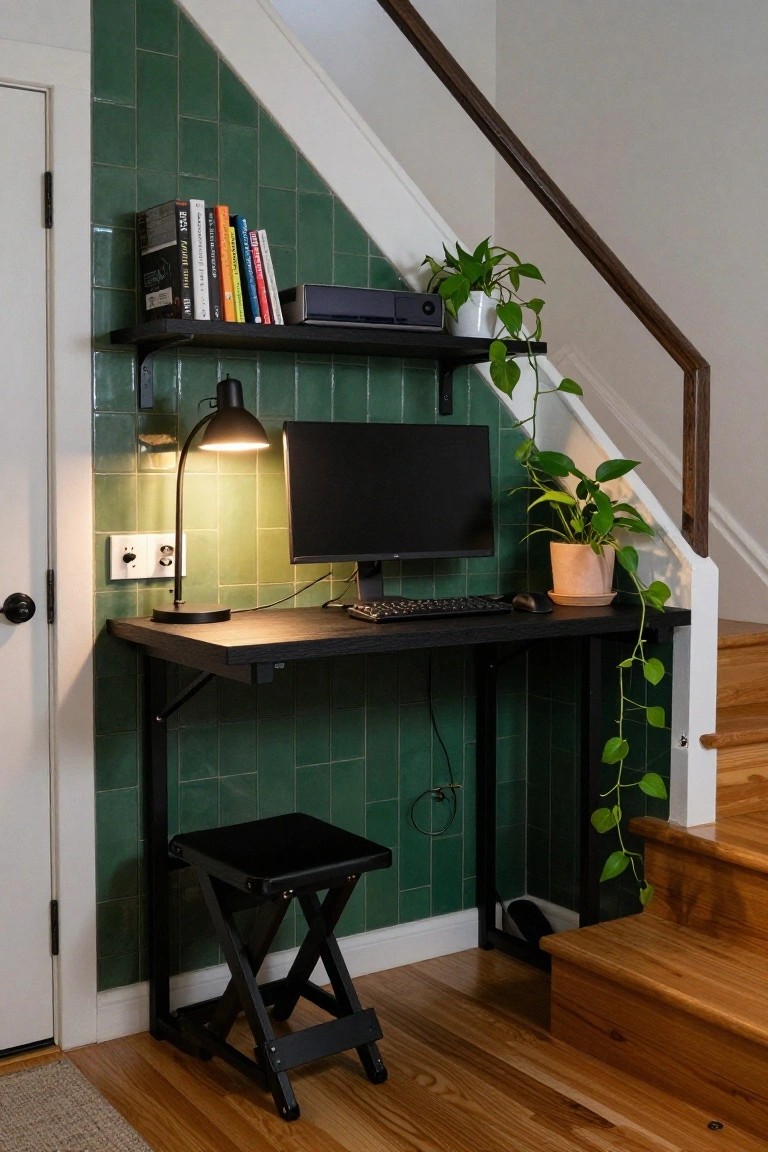
Tucking a gaming desk right under the stairs makes great use of that awkward spot most homes have. It keeps your setup out of the way but still handy, with room for a monitor, keyboard, and even some shelves for games or books. The green tiled wall here gives it a bit of personality without overwhelming the small space.
This works best in homes with stairs near a living area or hallway, especially if floor space is tight. Grab a simple black desk that folds or sits low, add a stool that tucks away, and throw in a plant or two. Just make sure the lighting is good, like that adjustable lamp, so you aren’t straining your eyes during long sessions.
Concrete Desk for Gaming Rigs
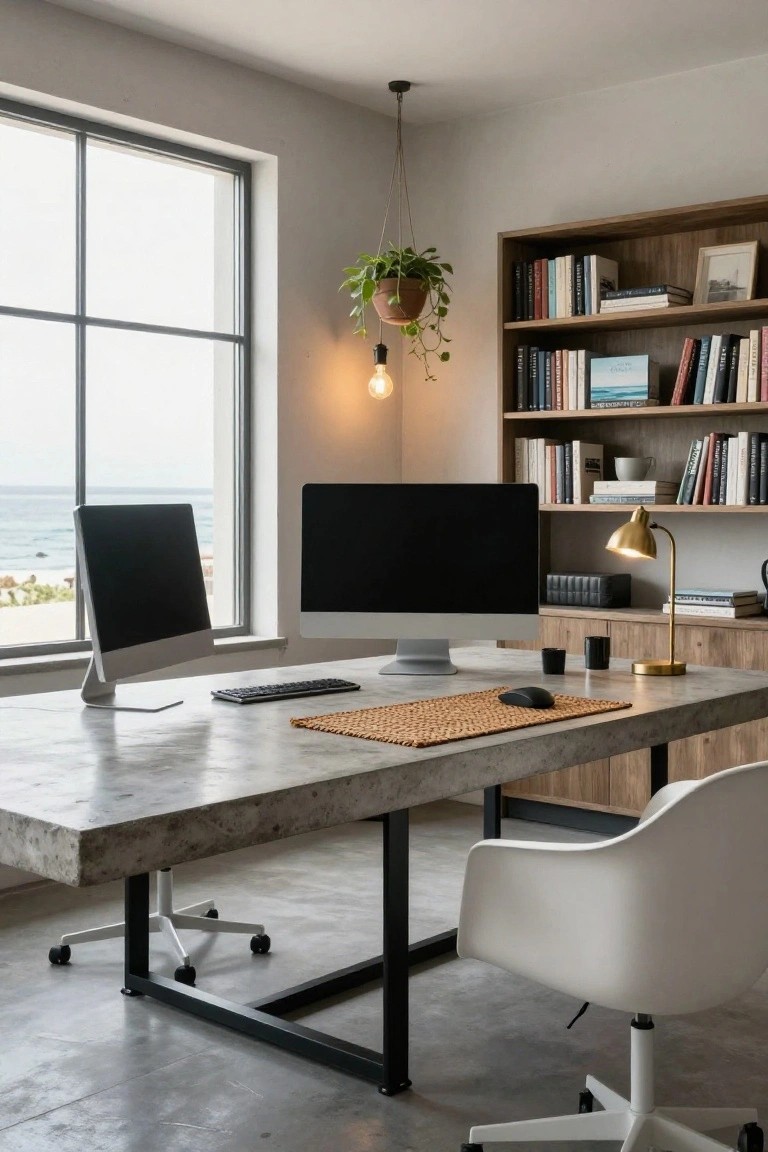
A concrete desk like this one gives your gaming setup a solid base that won’t wobble under heavy monitors or gear. The poured top here holds dual screens steady, with room for keyboard, mouse, and extras. It fits right into a light room, where the gray tone picks up the floor and keeps things calm.
Put this in a space with good natural light, maybe near a window for breaks from the screen. It works in apartments or home offices with a modern edge. Watch the weight though, concrete is heavy so make sure the legs are strong. Add a mat under the mouse like they did here to soften it up.
Curved Wooden Desk Setup
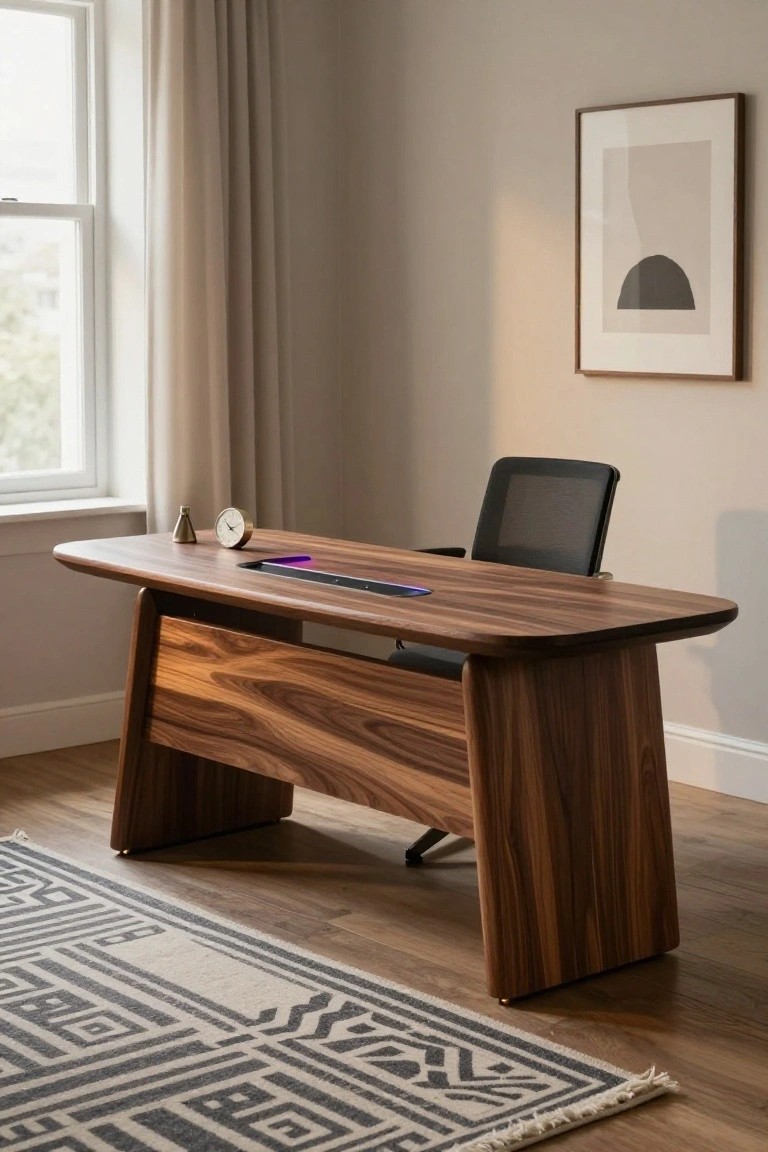
A curved wooden desk like this brings a natural, flowing look to your gaming space. The walnut finish shows off the wood grain nicely, and those rounded edges make it feel less boxy than standard desks. Plus, the built-in dock with its glowing charger keeps cables out of sight, which is handy for long sessions.
This style works best in a bright room with good window light, where the wood warms up the setup without overwhelming it. Go for it if you want something sturdy yet modern, maybe in a home office that doubles as a gaming nook. Just make sure the chair fits the curves right, like that mesh one here.
Gaming Desk Surrounded by Plants
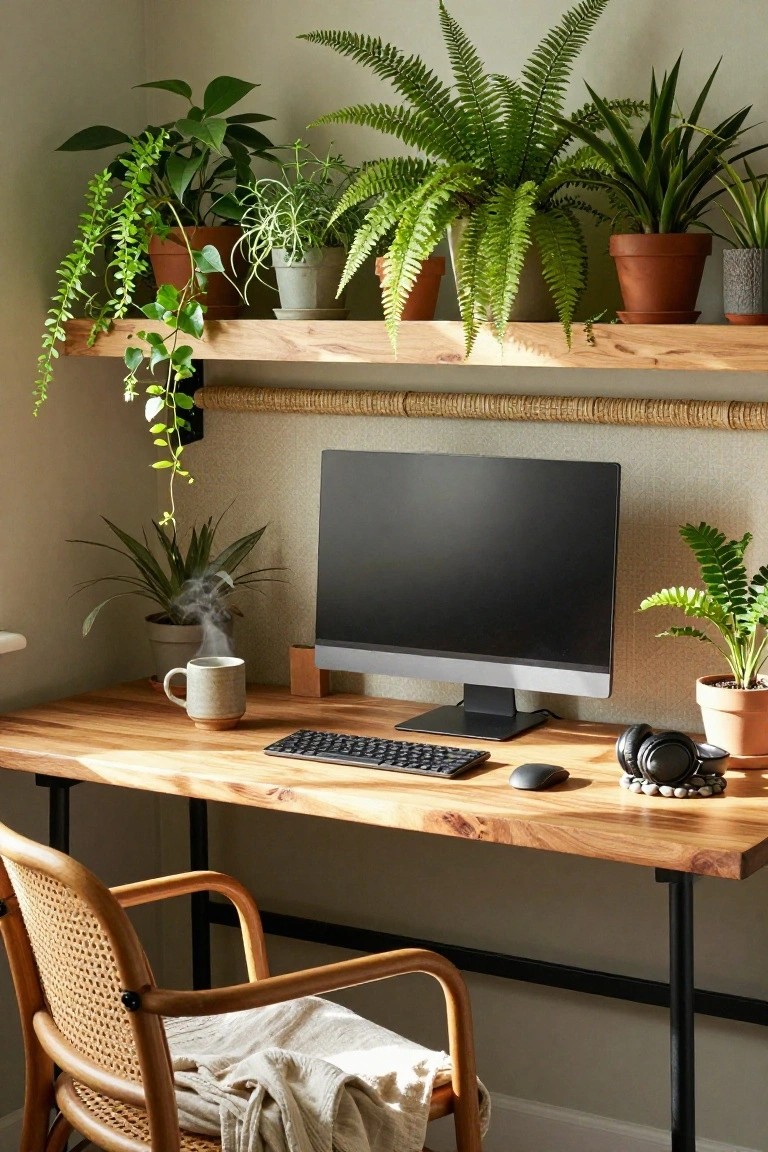
Gaming setups can feel cold with all the tech, but loading up on plants changes that quick. This corner desk keeps the monitor, keyboard, and mouse right where you need them on a simple wood surface. What stands out is how ferns, trailing vines, and potted greens fill the shelves above and spill over. It turns a work spot into something alive and easy on the eyes.
Put this in a bright room corner where plants get indirect light. Mix hanging pothos with upright ferns for layers. It fits apartments or home offices best, especially if you game long hours and want less screen strain. Water them regular, but skip anything too fussy.
Frequently Asked Questions
Q: How do I squeeze one of these desk ideas into a tiny room?
A: Go for a corner or floating shelf setup. They hug the walls and leave floor space open. Add under-desk storage bins, and your gear stays tidy without crowding the room.
Q: What’s a quick fix for cable chaos on my gaming desk?
A: Grab velcro straps and stick-on clips. Run cables along the desk legs and bundle them tight. Your setup looks pro in under 20 minutes.
Q: Can I pull off these ideas without spending a ton?
A: Hunt secondhand desks or repurpose a kitchen table. Paint it matte black and add LED strips from a dollar store. Boom, custom vibe on the cheap.
Q: How do I avoid back pain from long gaming sessions?
A: Position your monitor top at eye level with a stand or arm. Sit so your elbows bend at 90 degrees. And stand up every 45 minutes, stretch, repeat.
