Close Menu
    Smart Home AceSmart Home Ace
    • Home
    • Smart Security Cameras
    • Smart Thermostats
    • Smart Lighting
    • More Devices
      • Smart Plugs
      • Smart Door Locks
      • Smart Mattresses
      • Smart Irrigation Systems
      • Smart Smoke Detectors
      • Video Doorbells
      • Smart Speakers
    • Smart Systems
      • Google Home
      • Amazon Echo
      • Apple HomeKit
      • Samsung SmartThings
      • Wink Hub
      • IFTTT
    • About
      • Contact
      • Privacy Policy
    Smart Home AceSmart Home Ace
    Home»Blog»6 Common Smart Home Problems and How to Fix Them
    Blog

    6 Common Smart Home Problems and How to Fix Them

    RichardBy RichardSeptember 18, 2024Updated:December 3, 20244 Mins Read
    Facebook Twitter LinkedIn Telegram Pinterest Tumblr Reddit WhatsApp Email
    6 Common Smart Home Problems and How to Fix Them
    Share
    Facebook Twitter LinkedIn Pinterest Email

    Smart homes can sometimes fall short of expectations. Common issues like connectivity problems, device incompatibility, and app glitches can disrupt daily life.

    Contents show
    1 Connectivity Issues
    2 Device Compatibility Problems
    3 App Malfunctions
    4 Voice Assistant Errors
    5 Security Vulnerabilities
    6 Sensor Calibration Problems
    7 Wrapping Up

    Frustrating moments with voice assistants or concerns about security may also arise. While these challenges can be bothersome, there are solutions available.

    Understanding these common issues can help restore smooth operation in a smart home setup.

    Connectivity Issues

    Connectivity issues can be frustrating, often disrupting the seamless experience that smart home technology promises.

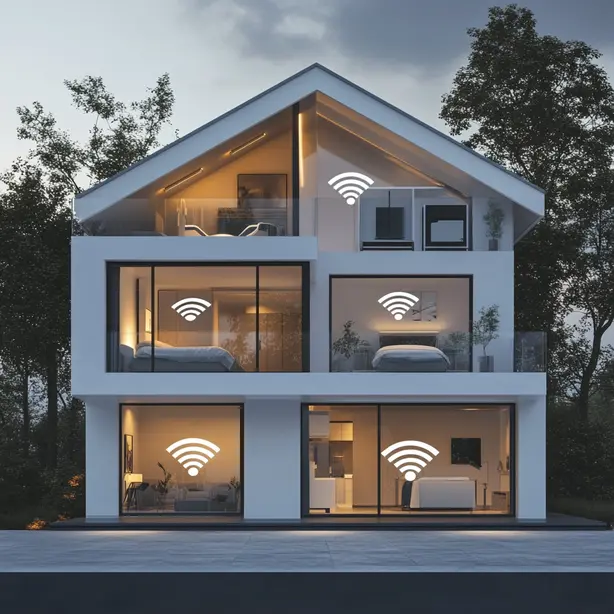
    To tackle this, start by checking your Wi-Fi network. Confirm your router is functioning properly and positioned centrally to minimize dead zones. If your devices are still struggling to connect, try rebooting them and your router. This simple step often resolves glitches.

    Make sure your smart devices are within range of the Wi-Fi signal; walls and other obstructions can weaken connectivity. Additionally, verify that your firmware and software are up to date, as manufacturers release updates that enhance performance.

    Recommended Products

    TP-Link AC1900 WiFi Range Extender RE550 | Dual-Band Wireless Repeater Amplifier w/Gigabit Ethernet Port | Up to 2200 Sq. Ft., 32 Devices | Internet Signal Booster | APP Setup | EasyMesh Compatible
    TP-Link AC1900 WiFi Range Extender RE550 | Dual-Band Wireless Repeater Amplifier w/Gigabit Ethernet Port | Up to 2200 Sq. Ft., 32 Devices | Internet Signal Booster | APP Setup | EasyMesh Compatible

    𝐃𝐮𝐚𝐥-𝐁𝐚𝐧𝐝 𝐖𝐢𝐅𝐢 𝐄𝐱𝐭𝐞𝐧𝐝𝐞𝐫 𝐰𝐢𝐭𝐡 𝟏.𝟗 𝐆𝐛𝐩𝐬 𝐓𝐨𝐭𝐚𝐥 𝐁𝐚𝐧𝐝𝐰𝐢𝐝𝐭𝐡 - Extend your home network with speeds of up to 1300 Mbps (5 GHz) and up to 600 Mbps (2.4 GHz). ◇

    VIEW LATEST PRICE

    As an affiliate, we earn on qualifying purchases.

    WiFi Extender, WiFi Extenders Signal Booster for Home Up to 5000 sq.ft and 50 Devices, WiFi Range Extender, Wireless Repeater, Long Range Amplifier with Ethernet Port, 1-Tap Setup, Alexa Compatible
    WiFi Extender, WiFi Extenders Signal Booster for Home Up to 5000 sq.ft and 50 Devices, WiFi Range Extender, Wireless Repeater, Long Range Amplifier with Ethernet Port, 1-Tap Setup, Alexa Compatible

    【Say Good Bye to WIFI Dead Zone】WiFi range extender Coverage up to 5000sq.ft with advanced central processing unit and powerful new-generation chips can better extend wireless signals to hard-to-reach areas.

    VIEW LATEST PRICE

    As an affiliate, we earn on qualifying purchases.

    TP-Link RE515X AX1500 WiFi 6 Range Extender w/Ethernet Port | 1.5G Dual-Band Wireless Repeater Amplifier | Up to 1800 Sq. Ft., 64 Devices | Internet Signal Booster | APP Setup | EasyMesh Compatible
    TP-Link RE515X AX1500 WiFi 6 Range Extender w/Ethernet Port | 1.5G Dual-Band Wireless Repeater Amplifier | Up to 1800 Sq. Ft., 64 Devices | Internet Signal Booster | APP Setup | EasyMesh Compatible

    𝐃𝐮𝐚𝐥-𝐁𝐚𝐧𝐝 𝐖𝐢𝐅𝐢 𝟔 𝐄𝐱𝐭𝐞𝐧𝐝𝐞𝐫 𝐁𝐨𝐨𝐬𝐭𝐞𝐫 𝐰𝐢𝐭𝐡 𝟏. 𝟓 𝐆𝐛𝐩𝐬 𝐓𝐨𝐭𝐚𝐥 𝐁𝐚𝐧𝐝𝐰𝐢𝐝𝐭𝐡 - Extend your home network with full speeds of 1201 Mbps (5 GHz) and 300 Mbps (2.4 GHz). Enjoy smoother and more reliable streaming, gaming, downloading with high-performance WiFi 6 range extender RE515X. ◇△

    See also  12 Smart Home Features That Will Improve Your Living Room
    VIEW LATEST PRICE

    As an affiliate, we earn on qualifying purchases.

    Device Compatibility Problems

    Even with a strong Wi-Fi connection, you might run into device compatibility problems that can hinder your smart home experience.

    These issues often arise when different devices use incompatible protocols, such as Zigbee, Z-Wave, or Wi-Fi. To tackle this, start by confirming that all your devices support the same communication standard.

    If they don’t, consider investing in a smart home hub that can bridge these gaps. Additionally, check for firmware updates on each device, as manufacturers often release patches to improve compatibility.

    If you’re still facing issues, consult the user manuals or manufacturer websites for specific compatibility lists. Being proactive about device selection and staying updated can greatly enhance your smart home setup’s functionality.

    Recommended Products

    Aeotec Smart Home Hub, Works as a SmartThings Hub, Z-Wave, Zigbee, Matter Gateway, Compatible with Alexa, Google Assistant, WiFi
    Aeotec Smart Home Hub, Works as a SmartThings Hub, Z-Wave, Zigbee, Matter Gateway, Compatible with Alexa, Google Assistant, WiFi

    Connect & control your smart home — Easily link thousands of compatible devices from leading brands to create a connected home environment for lighting, comfort, voice assistants, energy use, and more.

    VIEW LATEST PRICE

    As an affiliate, we earn on qualifying purchases.

    SONOFF Zigbee Bridge Pro Hub, ZigBee 3.0 Smart Gateway, APP Control and Multi-Device Management, Compatible with SONOFF Zigbee Devices
    SONOFF Zigbee Bridge Pro Hub, ZigBee 3.0 Smart Gateway, APP Control and Multi-Device Management, Compatible with SONOFF Zigbee Devices

    【Supports adding up to 128 sub-devices】Zigbee Bridge Pro supports adding sub-devices increased from 32 to 128.

    VIEW LATEST PRICE

    As an affiliate, we earn on qualifying purchases.

    Aeotec Smart Home Hub2 - V4, Works as a SmartThings Hub, Zigbee, Matter Gateway, Compatible with Alexa, Google Assistant, WiFi (No Z-Wave)
    Aeotec Smart Home Hub2 - V4, Works as a SmartThings Hub, Zigbee, Matter Gateway, Compatible with Alexa, Google Assistant, WiFi (No Z-Wave)

    Powered by SmartThings: Connect, monitor, and automate your home through the SmartThings app. Build a reliable, unified smart home using Samsung's proven ecosystem

    See also  9 Smart Home Automation Ideas to Simplify Your Routine
    VIEW LATEST PRICE

    As an affiliate, we earn on qualifying purchases.

    App Malfunctions

    When managing a smart home, you may encounter app malfunctions that disrupt your control over devices. These issues often stem from outdated software, poor internet connectivity, or device compatibility problems.

    To address this, first, check for app updates in your device’s app store and install any available updates. Next, verify your internet connection is stable by restarting your router.

    If the app still misbehaves, try closing it completely and reopening it. You can also clear the app’s cache in your device settings to eliminate corrupted data.

    Voice Assistant Errors

    In the domain of smart homes, voice assistant errors can be particularly frustrating as they hinder your ability to control devices hands-free. These errors often stem from connectivity issues, misinterpretation of commands, or outdated software.

    To tackle these problems, start by confirming your voice assistant is connected to a stable Wi-Fi network. If it’s unresponsive, try restarting the device or the associated app. Clear the cache or update the software to eliminate potential bugs.

    Additionally, speak clearly and verify your commands are precise. If your device still struggles, consider reconfiguring the voice recognition settings or retraining the assistant to better understand your voice.

    Following these steps can greatly enhance your smart home experience.

    Recommended Products

    Replacement for Sony TV Remote, for All 2019-2026 Sony Remote Control for Bravia Smart TV with Voice Control. for Bravia XR/XBR/KD/K Series Google/Android TVs. 1-Year Warranty.
    Replacement for Sony TV Remote, for All 2019-2026 Sony Remote Control for Bravia Smart TV with Voice Control. for Bravia XR/XBR/KD/K Series Google/Android TVs. 1-Year Warranty.

    【Broad Compatibility】this high-end remote is designed for All 2019-2026 SONY TVs. It serves as an excellent replacement for various SONY voice remote controls such as RMF-TX520U/500U, RMF-TX800U/810U/811U/820U, RMF-TX900U/910U/920U, RMF-TX300/310U, RMF-TX600U/611U/621U and others. 【Important Notice】 For TVs that do not support voice control or were released before 2018, the voice search functionality may not work. This remote requires two AAA batteries, and is NOT backlit.

    VIEW LATEST PRICE

    As an affiliate, we earn on qualifying purchases.

    Smart Home Devices Troubleshooting Guide: Fix Common Issues, Restore Connectivity, and Keep Your Smart Home Running Smoothly
    Smart Home Devices Troubleshooting Guide: Fix Common Issues, Restore Connectivity, and Keep Your Smart Home Running Smoothly
    VIEW LATEST PRICE
    See also  8 Smart Home Gadgets That Will Transform Your Daily Life

    As an affiliate, we earn on qualifying purchases.

    15A Dual Smart Plug 4 Pack, GHome Smart Plugs that Work with Alexa and Google Home, 2-in-1 Compact Smart Outlet Timer with APP Remote Control, 2.4GHz Wi-Fi Only, No Hub Required, FCC Listed
    15A Dual Smart Plug 4 Pack, GHome Smart Plugs that Work with Alexa and Google Home, 2-in-1 Compact Smart Outlet Timer with APP Remote Control, 2.4GHz Wi-Fi Only, No Hub Required, FCC Listed

    【Quick & Stable Connection】Rated for 15A/1800W to power heavy-duty devices. Features fast setup via BT and Wi-Fi. Simply connect to a 2.4GHz Wi-Fi network for reliable performance. Note: Don't support 5G WiFi.

    VIEW LATEST PRICE

    As an affiliate, we earn on qualifying purchases.

    Security Vulnerabilities

    Voice assistant errors can sometimes point to larger issues within your smart home ecosystem, particularly security vulnerabilities. These vulnerabilities can expose your devices to unauthorized access, putting your privacy at risk. Here are some common security concerns and their solutions:

    Security Issue Solution
    Weak Wi-Fi Password Use a strong, complex password
    Outdated Firmware Regularly update your devices
    Unsecured Networks Enable WPA3 encryption
    Default Credentials Change default usernames/passwords
    Insecure IoT Devices Research device security ratings

    Sensor Calibration Problems

    Although smart home sensors are designed to enhance convenience and security, they can sometimes suffer from calibration problems that lead to inaccurate readings. These issues often arise from environmental factors, such as temperature changes or interference from other devices.

    To fix calibration problems, start by checking your sensor’s placement; verify it’s not obstructed or exposed to extreme conditions. Next, consult the manufacturer’s guidelines for recalibrating your device—many sensors have a reset function.

    You might also consider using a calibration tool or app if available. Regular maintenance, like cleaning the sensor, can help maintain accuracy.

    Wrapping Up

    In summary, steering through smart home technology can be tricky, but you can tackle these common issues with a few simple steps. Strengthening your connectivity, ensuring device compatibility, updating apps, troubleshooting voice assistants, and securing your system will enhance your smart home experience. Don’t forget to regularly calibrate sensors for accurate performance. By addressing these challenges proactively, you’ll enjoy a seamless and efficient smart home that truly meets your needs.

    Share. Facebook Twitter Pinterest LinkedIn Tumblr Telegram Email
    Previous ArticleIntegrating Magic Lights with IFTTT: Tips for Seamless Connection and Automation
    Next Article Understanding Near vs. Light Intelligence: Exploring Cognitive Flexibility
    richard lakeford
    Richard
    • Website

    I'm Richard Lakeford, passionate about all things related to smart homes. Over the years, this interest has grown from a hobby to a part of my everyday life, as I've incorporated various smart devices and systems into my own home. At Smart Home Ace, I'm here to share insights and practical tips that can help you seamlessly integrate smart technology into your living spaces.

    Related Posts

    10 Genius Smart Kitchen Gadgets for Hassle-Free Cooking

    November 27, 2024

    10 Affordable Smart Home Upgrades Under $100

    November 21, 2024

    10 Eco-Friendly Smart Home Upgrades for a Greener Future

    November 20, 2024
    Add A Comment
    Leave A Reply Cancel Reply

    Recommended Articles

    10 Affordable Smart Home Upgrades Under $100

    10 Must-Have Devices to Start Your Smart Home Journey

    8 Essential Tips for Securing Your Smart Home Devices

    8 Smart Home Gadgets That Will Transform Your Daily Life

    6 Common Smart Home Problems and How to Fix Them

    Affiliate Disclosure

    As an Amazon Associate, I earn from qualifying purchases.

    © 2026 Smart Home Ace | © 2026 Sitemap
    • Home
    • About
    • Contact
    • Privacy Policy
    • Disclaimer
    • Affiliate Disclosure

    Type above and press Enter to search. Press Esc to cancel.