
Are you tired of juggling multiple apps to control your smart home devices? Imagine a scenario where all your Ikea smart bulbs could seamlessly connect without the need for an additional hub. Sound too good to be true? Well, in this article, you’ll discover whether you really need a hub for your Ikea smart bulbs or if there’s a simpler solution waiting for you.
By delving into this topic, you’ll uncover the convenience and efficiency of streamlining your smart home setup. Say goodbye to unnecessary complexities and hello to a more straightforward way of managing your lighting. Ready to simplify your smart home experience? Let’s explore whether a hub is a necessity for your Ikea smart bulbs or if you can enjoy a hassle-free setup right away.
Key Takeaways
- Ikea smart bulbs, like the Tradfri series, offer dimming capabilities, color-changing options, compatibility with smart home systems, and energy efficiency.
- Ikea smart bulbs can be controlled via the Tradfri app, voice assistants like Alexa or Google Assistant, and remote controls without the need for a central hub.
- Ikea smart bulbs can operate independently without a hub, simplifying the smart home setup process and allowing direct connectivity to existing systems.
- Integration with third-party hubs such as Amazon Alexa, Google Assistant, and Apple HomeKit provides flexibility in controlling Ikea smart bulbs without requiring an additional hub.
- Alternatives to using a hub with Ikea smart bulbs include direct connectivity, Bluetooth connection, smart home assistants, third-party smart home hubs, Ikea Tradfri Gateway, and mesh networking for decentralized control.
- Setting up Ikea smart bulbs without a hub can be achieved through direct Wi-Fi connectivity, Bluetooth pairing, integration with smart home assistants, compatibility with third-party hubs, use of Ikea Tradfri Gateway for enhanced features, and mesh networking for decentralized control.
Overview of Ikea Smart Bulbs
When it comes to Ikea smart bulbs, understanding their functionality and compatibility is essential for optimizing your smart home setup. Ikea offers a range of smart lighting solutions that can be controlled via various methods for a seamless experience.
Key Features of Ikea Smart Bulbs
Ikea smart bulbs, like the Tradfri series, come with distinctive features that enhance your lighting control:
- Dimming Capabilities: Ikea smart bulbs allow you to adjust the brightness levels according to your preferences.
- Color Changing Options: Some models offer color-changing capabilities, enabling you to create different ambiance settings.
- Compatibility: These bulbs can be integrated with smart home systems like Alexa, Google Home, or Apple HomeKit.
- Energy Efficiency: Ikea smart bulbs are energy-efficient, helping you save on electricity costs over time.
Controlling Ikea Smart Bulbs
To operate Ikea smart bulbs effectively, you have several options:
- Tradfri App: Ikea provides its Tradfri app for easy control over individual bulbs or groups.
- Voice Control: By connecting to voice assistants like Alexa or Google Assistant, you can control the bulbs using voice commands.
- Remote Control: Utilize Ikea’s remote controls for a convenient way to adjust your lighting.
Hub Requirement for Ikea Smart Bulbs
Unlike some smart lighting systems that require a central hub for connectivity, Ikea smart bulbs can function without a hub. This means you can directly connect them to your existing smart home setup via the respective apps or voice assistants mentioned earlier.
Simplifying Your Smart Home Setup
By opting for Ikea smart bulbs that don’t need a hub, you can streamline your smart home system, eliminating the need for additional devices and simplifying the overall setup process. This straightforward approach allows you to control your lighting hassle-free and enjoy the benefits of smart technology without added complexities.
Conclusion
Understanding the capabilities and requirements of Ikea smart bulbs is essential in creating a smart home environment that suits your needs. By leveraging the features and compatibility of these bulbs, you can enhance the ambiance of your living spaces and enjoy the convenience of efficient lighting control.
Compatibility of Ikea Smart Bulbs with Hubs
When it comes to the compatibility of Ikea smart bulbs with hubs, you might wonder if you need an additional hub for these smart bulbs to function effectively. Here’s the deal: Ikea smart bulbs operate using their proprietary smart system called Tradfri.
Recommended Products
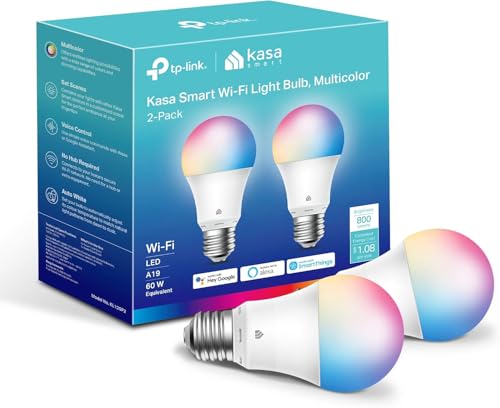
Multicolor & Auto White: Dimmable 16 million colors and warm to cool whites(2500K-6500K). Set your bulb to automatically adjust its color temperature to match natural light patterns from dawn to dusk. Explore endless lighting possibilities to create your favorite light effects for everything from a dinner party to a late-night study session. Great for holiday decorations.

You can use TRÅDFRI remote to control up to 10 LED light bulbs at a time - dim, switch on and off, choose colors and step by step change from warm to cold light.

Brightness Dimmable: With a dimming range from 1% up to 100%, the Kasa Smart Light Bulb, Dimmable helps you set the right brightness for any mood or activity. Ideal for kitchens, reading nooks, living rooms, and bedroom lamps. Special Features: Dimmable + Energy Monitoring.
Tradfri System Integration
With the Tradfri system, you can control your Ikea smart bulbs seamlessly through the Tradfri app on your smartphone or tablet. This system allows you to adjust the brightness, set timers, and even change the color of your bulbs to suit different moods. It’s a user-friendly platform that simplifies your smart lighting experience.
No Need for an External Hub
Unlike some other smart lighting systems that require a separate hub or bridge for connectivity, Ikea smart bulbs work independently without the need for an additional hub. This means you can set up and control your Ikea smart bulbs directly without investing in extra hardware, making the installation process simpler and more cost-effective.
Integration with Third-Party Hubs
While Ikea smart bulbs don’t require a hub by default, they are compatible with popular smart home systems and hubs like Amazon Alexa, Google Assistant, and Apple HomeKit. This integration allows you to control your Ikea smart bulbs using voice commands through these third-party platforms, adding another layer of convenience to your smart home setup.
Flexibility and Convenience
By eliminating the need for a hub, Ikea smart bulbs offer you more flexibility in customizing your smart home environment. Whether you prefer to use the Tradfri app or integrate your bulbs with other smart devices through third-party hubs, Ikea smart bulbs give you the freedom to choose the setup that works best for you.
Conclusion
Ikea smart bulbs are designed to be versatile and easy to integrate into various smart home setups. With their compatibility with the Tradfri system and third-party hubs, you can enjoy the benefits of smart lighting without the added complexity of requiring a separate hub. So, go ahead and enhance your living spaces with Ikea smart bulbs for convenient and efficient lighting control.
Alternatives to Using a Hub with Ikea Smart Bulbs
If you’re considering Ikea smart bulbs for your smart home setup, you might wonder if you need a hub to operate them. The good news is, you have alternatives that allow you to control your Ikea smart bulbs without the need for a dedicated hub. Here are some options for you to consider:
Recommended Products

【Compatibility Note at First】Works with AC 120V only. Supports 2.4GHz Wi-Fi band only – 5G band are not supported. Dual-band routers work fine – simply choose the 2.4GHz hotspot during setup. If 2.4GHz and 5GHz share the same name and connection fails, set different names for each band and retry. ⚠️Requires DayBetter App – Not compatible with Tuya, Smartlife, Magic Home App. Does not support MATTER/Home Assistant by now. Do not use with physical dimmer switches – dim via the App or voice.

Always Connected: Still control your lights locally even if Wi-Fi goes down— with BLE backup when Wi-Fi is off.

Sengled S1 Auto Paring: (No registration required, No 3p account required) The Sengled Auto Pairing Kit offers a simple setup and stable links. Just twist in the smart bulbs and start using them with Alexa Devices in seconds.
1. Direct Connectivity:
You don’t always need a hub to connect and control Ikea smart bulbs. These smart bulbs can often connect directly to your existing Wi-Fi network, enabling you to manage them using your smartphone or voice commands without the necessity of an additional hub device.
2. Bluetooth Connection:
Some Ikea smart bulbs come with Bluetooth connectivity, letting you pair them directly with your smartphone or other compatible devices. Through Bluetooth, you can adjust the lighting settings and create ambiance without the requirement of a hub.
3. Smart Home Assistants:
Utilize smart home assistants like Amazon Alexa or Google Assistant to control your Ikea smart bulbs. These assistants act as intermediaries, allowing you to command your smart bulbs through voice controls or smart home routines without needing a hub for operation.
4. Third-party Smart Home Hubs:
If you already have a smart home hub from another brand like Samsung SmartThings or Apple HomeKit, you can often integrate Ikea smart bulbs into these ecosystems. This compatibility widens your options for controlling your smart bulbs without the need for a specific Ikea hub.
5. Ikea Tradfri Gateway:
While Ikea smart bulbs can function independently, using the Ikea Tradfri Gateway offers additional features and functionalities. The Tradfri Gateway acts as a central control point, enhancing your smart lighting experience with advanced settings and group configurations.
6. Mesh Networking:
In a mesh network setup, each smart bulb acts as a signal repeater, creating a robust network that can operate without a central hub. This decentralized system enables seamless communication between your Ikea smart bulbs without relying on a dedicated hub device.
By exploring these alternatives, you can harness the full potential of your Ikea smart bulbs without the necessity of a hub, providing you with flexibility and convenience in managing your smart lighting setup.
Setting Up Ikea Smart Bulbs Without a Hub
When setting up Ikea smart bulbs without a hub, you have several options for seamless connectivity and control. Here are some practical alternatives to consider:
Recommended Products

Multicolor & Auto White: Dimmable 16 million colors and warm to cool whites(2500K-6500K). Set your bulb to automatically adjust its color temperature to match natural light patterns from dawn to dusk. Explore endless lighting possibilities to create your favorite light effects for everything from a dinner party to a late-night study session. Great for holiday decorations.Voice Control: Get hands-free control of your lights with your voice via Amazon Alexa or Google Assistant. Perfect for times when your hands are full or entering a dark room.

Tuya Smart Application & Remote Control; You can control the smart light bulb anytime and anywhere through your mobile phone. Whether you are working in the office or on vacation, you can adjust the smart home lighting status at home at any time. In addition, you can use the grouping function to create a group for multiple bulbs, and then activate them all with one click (only for stable 2.4GHz Wi-Fi, not for Bluetooth)

Voice Control: After being paired with the free Smart Life app via Wi-Fi, these smart E12 LED bulbs work with Alexa and Google Assistant for hands-free voice control.
1. Direct Connectivity to Wi-Fi Networks
Connect your Ikea smart bulbs directly to your Wi-Fi network for easy control without the need for an additional hub. This direct connection allows you to manage your smart lighting from your smartphone or other compatible devices.
2. Bluetooth Connection
Utilize Bluetooth connectivity to pair your Ikea smart bulbs directly with your smartphone or tablet. This convenient setup eliminates the requirement for a hub and provides you with instant control over your lighting settings.
3. Integration with Smart Home Assistants
Take advantage of smart home assistants like Amazon Alexa or Google Assistant to control your Ikea smart bulbs effortlessly. By integrating your smart bulbs with these assistants, you can adjust lighting settings using voice commands without the necessity of a hub.
4. Compatibility with Third-Party Smart Home Hubs
If you already have a smart home hub from another brand, you can often integrate your Ikea smart bulbs with it. Check compatibility requirements to ensure a seamless connection between your existing hub and Ikea smart bulbs, eliminating the need for an additional hub.
5. Use of Ikea Tradfri Gateway
For enhanced features and functionalities, consider using the Ikea Tradfri Gateway with your smart bulbs. While not mandatory, the Tradfri Gateway can provide additional smart home capabilities and centralized control over your lighting setup.
6. Mesh Networking for Decentralized Control
Explore the option of setting up mesh networking for decentralized control of your Ikea smart bulbs. With mesh networking, each bulb acts as a signal repeater, creating a robust network that can operate without a central hub while offering extended coverage within your home.
By exploring these alternatives, you can set up and control your Ikea smart bulbs without the need for a hub, enhancing the flexibility and convenience of your smart home lighting system.
Conclusion
You’ve explored the world of Ikea smart bulbs and discovered a range of options for setting them up without the need for a hub. Whether it’s connecting directly to Wi-Fi, using Bluetooth, integrating with smart home assistants, or tapping into third-party hubs, you have plenty of choices to customize your smart lighting experience. The flexibility and convenience of these alternatives showcase the adaptability of Ikea smart bulbs in different smart home environments. By considering these options, you can create a personalized and efficient smart lighting setup that suits your needs and preferences. So, go ahead and get creative with your smart home lighting, knowing that you have the freedom to choose the setup that works best for you.
Frequently Asked Questions
Can Ikea smart bulbs be used without a hub?
Yes, Ikea smart bulbs can be used without a hub by connecting directly to Wi-Fi networks, using Bluetooth, integrating with smart home assistants like Amazon Alexa or Google Assistant, or being compatible with third-party smart home hubs.
How can I control Ikea smart bulbs without a hub?
You can control Ikea smart bulbs without a hub through the Tradfri app, voice control, remote controls, direct Wi-Fi connectivity, Bluetooth pairing, integration with smart home assistants, or third-party smart home hubs.
Are Ikea smart bulbs compatible with mesh networking?
Yes, Ikea smart bulbs are compatible with mesh networking for decentralized control, allowing users to manage their smart lighting setup efficiently and conveniently.
Do Ikea smart bulbs support color-changing options?
Yes, Ikea smart bulbs support color-changing options, giving users the flexibility to set the desired ambiance in their smart home environment.
What features make Ikea smart bulbs convenient for smart home setups?
Ikea smart bulbs offer features such as dimming, color-changing options, and compatibility with various smart home systems, making them convenient and efficient for smart home setups.
