
Do you ever find yourself wondering which Amazon Echo model you own? Picture this: you’re about to explore new features or troubleshoot an issue, but you’re not quite sure which Echo device you have. It can be a common dilemma, but fret not – help is at hand.
Key Takeaways
- Understand Amazon Echo device generations to identify your specific model easily.
- Consider the physical appearance, settings in the Alexa app, and features of your Echo device for accurate identification.
- Check product packaging details for labeling or product information to specify the model type.
- Differentiate between Amazon Echo generations by examining device generation, physical appearance, Alexa app details, unique features, and product packaging.
- Use practical methods like checking device settings, using voice commands, examining physical features, and contacting Amazon support for troubleshooting and identifying your Amazon Echo model effectively.
Understanding Amazon Echo Devices
When it comes to figuring out which Amazon Echo device you have, there are a few key factors to consider that can help you identify your specific model easily. Here’s how you can distinguish between the various Amazon Echo devices:
Recommended Products

Echo Hub — An easy-to-use smart home control panel redesigned for your home. Arrange controls on your dashboard to quickly adjust devices, view cameras, start routines, and more.
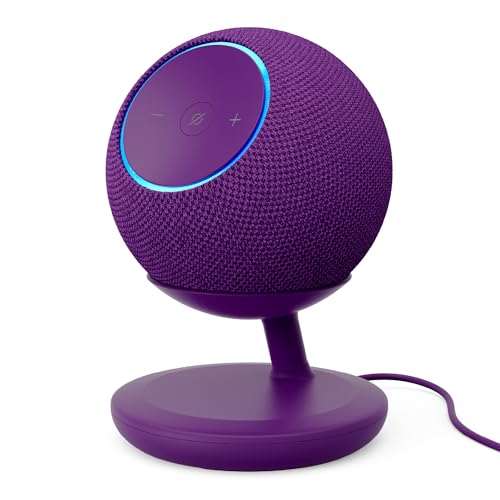
BUNDLE INCLUDES: Amazon Echo Dot Max (newest model) | Amethyst and Stand with USB-C charging ports | Amethyst
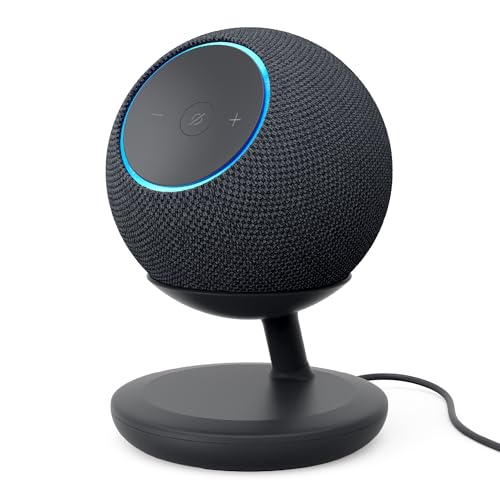
BUNDLE INCLUDES: Amazon Echo Dot Max (newest model) | Graphite and Stand with USB-C charging ports | Graphite
Echo Device Generations
Start by determining the generation of your Echo device. Amazon Echo devices are typically categorized into different generations, each with its unique features and design elements. For instance, the Echo Dot is known for its compact size and has undergone several iterations, each with specific improvements.
Device Physical Appearance
Taking a closer look at the physical appearance of your Echo device can also provide clues about its model. Factors such as the size, shape, and the presence of buttons or screens can help you differentiate between devices like the Echo, Echo Dot, Echo Show, or Echo Spot.
Checking the Device Settings
Navigate to the Alexa app on your smartphone or tablet to access detailed information about your Echo device. Within the app, you can find specifics about your device model, serial number, and software version, which can assist you in identifying the exact type of Echo device you own.
Device Features and Capabilities
Consider the functionalities and capabilities of your Echo device. Certain features such as the presence of a screen, built-in smart hub, or support for video calls are unique to specific Echo models. Understanding these distinctive features can aid in recognizing your Echo device.
Product Packaging Details
If you still have the original packaging of your Amazon Echo device, check for any labeling or product information that specifies the model type. The packaging often includes details like the model name, generation, and any distinguishing characteristics to help you identify your device accurately.
By examining these aspects, you can confidently determine which Amazon Echo device you own, allowing you to make the most of its features and troubleshoot any issues effectively.
Ways to Identify Your Amazon Echo Model
When determining the specific Amazon Echo model you own, it’s essential to consider multiple factors that help differentiate between various generations and versions. Here are some practical methods to identify your Amazon Echo device:
Recommended Products
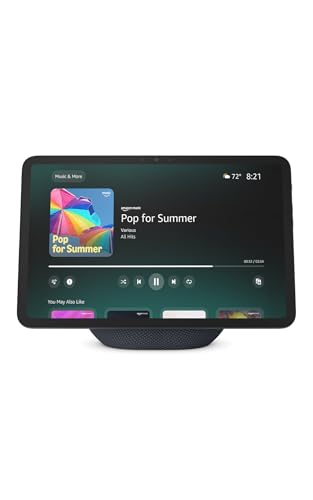
New size, more viewing area: The 11“ smart display features a vibrant Full-HD touchscreen with 60% more viewing area versus Echo Show 8 (2025 release), built-in smart home hub, AZ3 Pro chip for powerful performance, and Omnisense technology for highly personalized experiences.
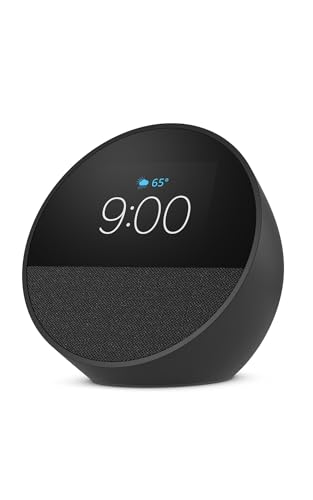
MEET ECHO SPOT - A sleek smart alarm clock with Alexa and big vibrant sound. Ready to help you wake up, wind down, and so much more.
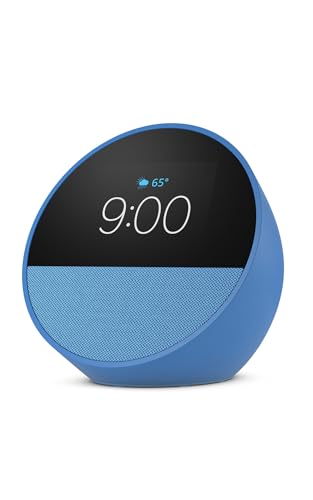
MEET ECHO SPOT - A sleek smart alarm clock with Alexa and big vibrant sound. Ready to help you wake up, wind down, and so much more.
Device Generation
Start by checking the generation of your Amazon Echo device. Each generation typically introduces new features and improvements. You can identify the generation by looking at the design, release year, and any significant changes or upgrades:
- Look for the shape and size of your Echo device.
- Check the release year or timeline when the model was launched.
Physical Appearance
The physical appearance of your Amazon Echo can be a crucial indicator of its model type. Specific design elements or characteristics can help you narrow down the model you own:
- Examine the color, texture, and material of the device.
- Note any unique physical features like buttons, ports, or LED lights.
Alexa App Settings
Accessing the Alexa app on your smartphone can provide valuable information about your Amazon Echo model. By navigating through the app settings, you can find details related to your device:
- Open the Alexa app on your smartphone.
- Locate the Settings section and navigate to your Echo device details.
Unique Features and Capabilities
Identifying the unique features and capabilities of your Amazon Echo can further distinguish its model. Different models offer specific functionalities that set them apart from others:
- Explore the voice commands and skills supported by your Echo.
- Test out any specialized features exclusive to certain Echo models.
Product Packaging Details
If you have the original product packaging or documentation, it can contain essential information about your Amazon Echo model. Look for specific labels, stickers, or product codes that indicate the model:
- Check the box for any model names, numbers, or descriptions.
- Review any accompanying documents for detailed product information.
By methodically examining these factors, you can confidently determine the exact Amazon Echo model you own. Understanding your device model will empower you to maximize its features, troubleshoot effectively, and stay informed about compatibility with new features and updates.
Differentiating Between Amazon Echo Generations
Understanding the differences between Amazon Echo generations is essential to correctly identifying your device and leveraging its features effectively. Each generation typically introduces new capabilities and design elements that set it apart from previous versions. Here’s how you can differentiate between various Amazon Echo models:
Recommended Products

Your favorite music and content – Play music, audiobooks, and podcasts from Amazon Music, Apple Music, Spotify and others or via Bluetooth throughout your home.
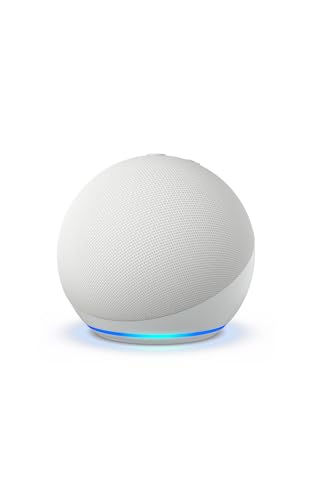
Your favorite music and content – Play music, audiobooks, and podcasts from Amazon Music, Apple Music, Spotify and others or via Bluetooth throughout your home.
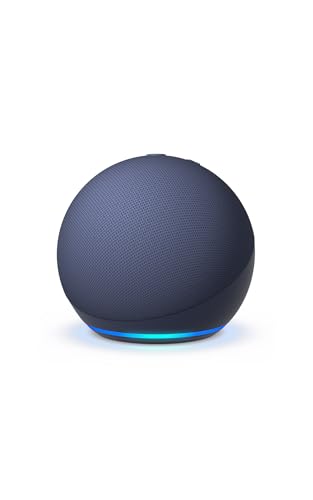
Your favorite music and content – Play music, audiobooks, and podcasts from Amazon Music, Apple Music, Spotify and others or via Bluetooth throughout your home.
1. Device Generation
Start by determining which generation of Amazon Echo you have. Each generation is marked by specific model releases, with distinct improvements and functionalities. You can usually find the generation information on the device itself or through the Alexa app settings.
2. Physical Appearance
Another way to differentiate between Amazon Echo generations is by examining the physical appearance of the device. Different generations often have unique design features, such as size, shape, materials, and button placements. Comparing your device’s appearance to images of various generations can help you identify the specific model.
3. Alexa App Details
Accessing the Alexa app on your smartphone or tablet can provide valuable insights into your Amazon Echo model. The app typically displays detailed information about the connected devices, including the model, generation, and additional settings specific to your Echo. Check the app for relevant details that can assist you in identifying your device accurately.
4. Unique Features
Each Amazon Echo generation introduces new features or improvements that distinguish it from earlier models. Identifying these unique functions, such as enhanced sound quality, smart home integration, or interactive displays, can assist you in pinpointing the generation of your device. Review the key features of your Echo to narrow down its specific model.
5. Product Packaging
Referencing the product packaging is another effective method to determine the Amazon Echo generation. The packaging typically includes details about the model, generation, and any special features or specifications specific to that particular device. Retaining or examining the original packaging can provide valuable information for identifying your Echo model accurately.
By considering these differentiating factors, you can confidently determine which Amazon Echo generation you own, enabling you to make informed decisions regarding its usage, compatibility, and troubleshooting. Understanding your device’s generation is key to maximizing its functionalities and staying up-to-date with the latest developments in Amazon Echo technology.
Troubleshooting and Tips
When it comes to troubleshooting issues or seeking more data about your Amazon Echo model, there are a few practical tips you can follow. Here are some straightforward suggestions to assist you in your quest:
Check Device Settings:
- Navigate Through Device Settings: Open the Alexa app on your smartphone or tablet.
- Go to Devices: Locate and select the devices icon.
- Select Your Echo Device: Look for your Echo device in the list and tap on it.
- Review Device Details: Here, you can find specific details about your Echo model, including the generation and other relevant information.
Use Voice Command:
- Ask Alexa Directly: Try asking your Echo device with a voice command like, “Alexa, what generation Echo do I have?” The virtual assistant should be able to provide you with the necessary information.
Examine Physical Features:
- Look for Physical Indicators: Observe the physical characteristics of your device. Different Echo models have distinct design elements that can help you identify your specific model.
Product Packaging Details:
- Retrieve Product Box: If you have the original packaging, check for labels or stickers that indicate the model and generation of your Echo device.
- Contact Amazon Support: If you’re still unsure about your Echo model or need further assistance, reach out to Amazon customer support for guidance.
By utilizing these troubleshooting tips and suggestions, you can easily identify your Amazon Echo model and access the information you need for optimal usage and support.
Conclusion
Now armed with various techniques and tips, you can easily identify your Amazon Echo model. By exploring device settings, asking Alexa for details, inspecting physical features, and checking product packaging, you can confidently determine which Amazon Echo you own. Remember, if you encounter any difficulties, Amazon support is just a message away. Enjoy a seamless experience with your Amazon Echo, knowing exactly which model you have at your fingertips.
Frequently Asked Questions
How can I identify my Amazon Echo model?
To identify your Amazon Echo model, consider factors like device generation, physical appearance, Alexa app settings, unique features, and product packaging details.
What are some tips for troubleshooting and identifying an Amazon Echo model?
For troubleshooting and identification, check device settings in the Alexa app, use voice commands to ask Alexa about the device generation, examine physical features, review product packaging, and contact Amazon support if needed.
