
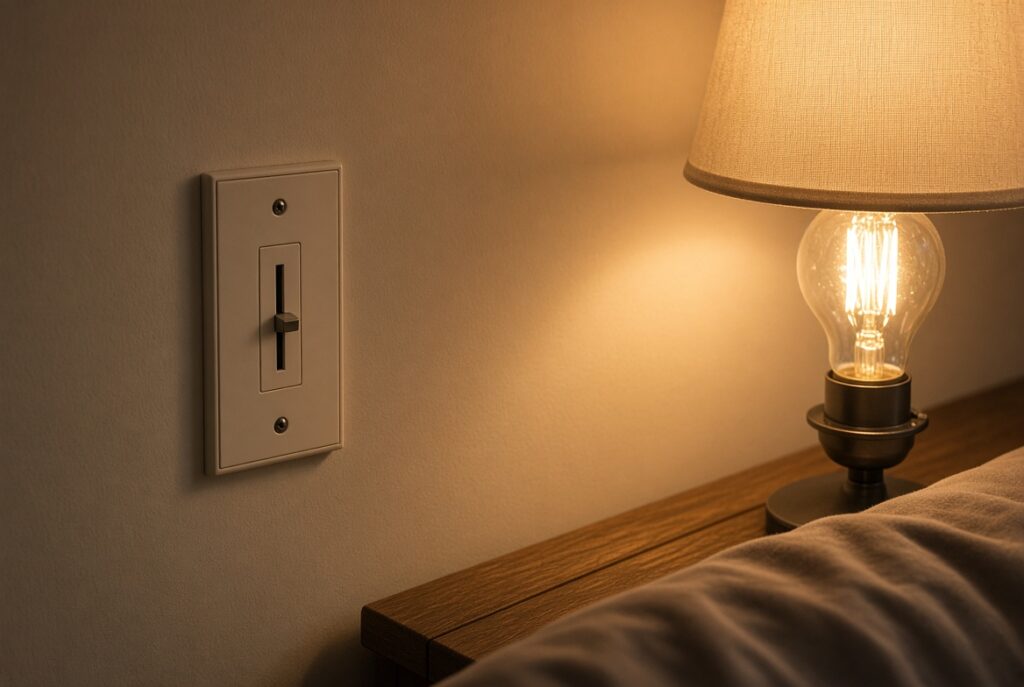
Do you ever find yourself wanting to upgrade to smart bulbs but worry about compatibility with your existing dimmer switches? Picture this: you’re eager to modernize your home with smart lighting, but the uncertainty of whether your dimmer switches will play nice with these new bulbs holds you back.
Flicker on an old dimmer is the most common installation mistake in Smart Lighting. Either leave the wall switch fully on and dim in the app, or use a smart switch with a regular bulb.
Key Takeaways
- Smart bulbs and traditional dimmer switches may not always be compatible due to differences in technology and dimming mechanisms.
- Some smart bulbs are designed to work well with traditional dimmer switches, but it’s essential to check the manufacturer’s guidelines for compatibility.
- Solutions for using smart bulbs with dimmer switches include replacing dimmer switches with smart ones, bypassing dimmer functionality, and conducting compatibility tests.
- Flickering, flashing, and limited dimming range are potential issues to consider when integrating smart bulbs with dimmer switches.
- Employing dimmable smart bulbs and smart dimmer switches can optimize performance and ensure efficient lighting control.
- Following manufacturer recommendations for compatibility and installation is crucial to creating a harmonious smart lighting system.
Understanding Smart Bulbs and Dimmer Switches
When it comes to integrating smart bulbs into your home lighting system, you might have questions about their compatibility with existing dimmer switches. It’s essential to understand how smart bulbs and dimmer switches work together to ensure a seamless transition to modern lighting control.
Smart Bulbs Functionality
Smart bulbs are Wi-Fi-enabled LED bulbs that can be controlled remotely using smartphone apps, voice commands, or automation schedules. These bulbs offer various features such as dimming capabilities, color changing options, and energy efficiency. Unlike traditional bulbs, smart bulbs require a consistent power supply to function correctly and communicate with the controlling device.
Dimmer Switches Operation
Dimmer switches are devices that allow you to adjust the brightness of your lights by controlling the amount of electricity flowing to the bulbs. They work by altering the voltage supplied to the light fixture, which in turn affects the light output. However, traditional dimmer switches are not always compatible with smart bulbs due to differences in the mechanisms used to regulate light levels.
Compatibility Considerations
While some smart bulbs are explicitly designed to work with traditional dimmer switches, not all models offer this compatibility. The interaction between smart bulbs and dimmer switches can vary depending on the specific brands and technologies involved. It’s crucial to check the manufacturer’s guidelines to determine if your smart bulbs are suitable for use with dimmer switches.
Solutions for Compatibility
If you wish to use smart bulbs with dimmer switches, there are a few solutions to consider:
- Replace Dimmer Switches: Consider replacing your traditional dimmer switches with smart dimmer switches that are designed to work seamlessly with smart bulbs.
- Bypass Dimmer Functionality: Another option is to bypass the dimmer functionality altogether by setting the dimmer switch to full power and controlling the bulb’s brightness through the smart bulb’s app or voice commands.
- Compatibility Testing: Before fully integrating smart bulbs with dimmer switches, conduct compatibility tests to ensure they work together without any issues.
Understanding the compatibility between smart bulbs and dimmer switches is essential for creating a smart lighting system that meets your needs. By exploring the functionalities of both devices and considering compatibility solutions, you can enjoy the benefits of modern lighting control in your home seamlessly.
Compatibility of Smart Bulbs with Dimmer Switches
When it comes to integrating smart bulbs into your lighting setup, one key consideration is their compatibility with dimmer switches. Smart bulbs, known for their advanced features like remote control and scheduling, may not always work seamlessly with traditional dimmer switches that regulate brightness levels. Here’s what you need to know to ensure a harmonious coexistence between your smart bulbs and dimmer switches.
Understanding Compatibility Factors
- Dimming Technology:
- Smart bulbs primarily use dimming technology within the bulb itself, meaning they rely on a constant voltage supply. Traditional dimmer switches, however, operate by altering the voltage sent to the bulb.
- Dimmer Switch Type:
- Leading edge dimmers and trailing edge dimmers are the two common types. Smart bulbs are more likely to work well with trailing edge dimmers due to their compatibility with lower wattage LED bulbs.
Potential Issues to Consider
- Flickering or flashing:
- Incompatibility between the smart bulb and dimmer switch can lead to flickering or flashing of the light, affecting both functionality and ambiance.
- Dimming Range:
- Smart bulbs designed to work with dimmer switches may experience limitations in their dimming range, affecting the desired level of brightness control.
Ensuring Compatibility
- Check Manufacturer Recommendations:
- Refer to the smart bulb manufacturer’s guidelines to determine compatibility with dimmer switches. Some brands offer specific smart bulbs designed for dimmer switch use.
- Utilize Smart Dimmer Switches:
- Consider upgrading to smart dimmer switches that are compatible with a wide range of smart bulbs, allowing for full functionality and customization.
- Bypassing Dimmer Functionality:
- If compatibility issues persist, you can bypass the dimming feature on the switch by setting it to maximum brightness and controlling dimming solely through the smart bulb features.
Conclusion
Ensuring compatibility between smart bulbs and dimmer switches is essential for a seamless and efficient lighting system in your home. By understanding the technology involved and following recommended guidelines, you can enjoy the benefits of modern lighting control without any compatibility hiccups. Conduct compatibility tests as needed to optimize your smart lighting setup.
Factors to Consider Before Using Smart Bulbs with Dimmer Switches
When integrating smart bulbs with dimmer switches, there are important factors that can impact the performance and efficiency of your lighting system.
Compatibility with Dimmer Switches
Ensure your smart bulbs are compatible with dimmer switches. Not all smart bulbs work effectively with traditional dimmers due to differences in technology. Incompatible setups can lead to issues like flickering, buzzing, or reduced bulb lifespan.
Dimmable Smart Bulbs
Opt for dimmable smart bulbs designed to work seamlessly with dimmer switches. These bulbs are specifically engineered to adjust brightness levels without causing flickering or other technical problems.
Dimmer Switch Type
Consider using smart dimmer switches instead of traditional ones to maximize the benefits of smart lighting. Smart dimmers are designed to regulate power flow effectively, ensuring smooth dimming without compatibility issues.
Dimming Range
Check the dimming range of both your smart bulbs and dimmer switches. Some smart bulbs may have limited dimming capabilities when paired with certain dimmers, affecting the range of brightness control in your lighting setup.
Manufacturer Recommendations
Follow the manufacturer’s guidelines for compatibility and installation. Manufacturers often provide specific instructions on pairing smart bulbs with dimmer switches to ensure optimal performance and longevity.
Bypassing Dimmer Functionality
If compatibility issues persist, consider bypassing the dimmer functionality and using the smart bulbs without the dimmer switch. This allows you to fully harness the features of your smart bulbs without interference from incompatible dimmers.
By considering these factors before integrating smart bulbs with dimmer switches, you can create a harmonious lighting system that enhances your smart home experience. Always prioritize compatibility and efficiency to enjoy the full benefits of smart lighting control.
Installation and Setup Guidelines for Smart Bulbs with Dimmer Switches
When installing smart bulbs with dimmer switches, it’s essential to follow specific guidelines to ensure optimal functionality and avoid common issues. Here are the key steps you should consider for a smooth installation and setup process:
Verify Compatibility Before Installation
Before you start installing your smart bulbs with dimmer switches, it’s crucial to confirm that they are compatible. Check the specifications provided by the smart bulb manufacturer to ensure they can work with dimmer switches. Incompatible combinations may lead to flickering, buzzing, or even damage to the bulbs.
Use Dimmable Smart Bulbs for Best Results
Opt for dimmable smart bulbs designed to work with dimmer switches for the best performance. These bulbs are specially manufactured to handle varying light intensities, providing a seamless dimming experience without any flickering or humming noises.
Employ Smart Dimmer Switches for Enhanced Control
Consider using smart dimmer switches in conjunction with your smart bulbs for enhanced control over your lighting system. Smart dimmer switches offer advanced features such as scheduling, remote access, and integration with smart home ecosystems, allowing you to create personalized lighting scenes effortlessly.
Verify Dimming Range Compatibility
Before finalizing your installation, make sure to verify the dimming range compatibility between your smart bulbs and dimmer switches. Some smart bulbs may have specific dimming requirements, and using them outside their recommended range can affect performance. Adjust your dimmer settings accordingly to match the dimming range of your smart bulbs.
Adhere to Manufacturer Recommendations
Follow the manufacturer’s instructions carefully during the installation and setup process. Different smart bulbs and dimmer switches may have specific requirements for pairing and configuration. Adhering to these guidelines ensures proper functionality and helps avoid potential issues down the line.
Bypass Dimmer Functionality if Necessary
In cases where compatibility issues persist or your smart bulbs do not function correctly with dimmer switches, it may be necessary to bypass the dimmer functionality. Consult the smart bulb manufacturer’s guidelines on bypassing dimmers to ensure your bulbs operate as intended without interference.
By following these installation and setup guidelines, you can effectively integrate your smart bulbs with dimmer switches to create a versatile and efficient lighting setup in your smart home. Prioritizing compatibility and proper configuration is key to unlocking the full potential of your smart lighting system.
Best Practices for Optimizing Smart Bulb Performance with Dimmer Switches
When it comes to maximizing the performance of smart bulbs used with dimmer switches, there are specific best practices you should follow to ensure seamless integration and efficient lighting control in your home.
Choose Compatible Smart Bulbs:
Ensure that the smart bulbs you select are compatible with dimmer switches. Opt for dimmable smart bulbs that are specifically designed to work with dimming features to avoid any flickering or performance issues.
Use Smart Dimmer Switches:
To enhance control and optimize performance, pair your smart bulbs with smart dimmer switches. This combination allows you to adjust the lighting levels more precisely and efficiently, providing a seamless experience while avoiding any compatibility issues.
Verify Dimming Range Compatibility:
Check the dimming range of both your smart bulbs and dimmer switches to guarantee they work harmoniously together. Ensuring that the dimming capabilities align prevents potential flickering or limited dimming range, providing consistent and reliable lighting adjustments.
Follow Manufacturer Recommendations:
Always adhere to the manufacturer’s guidelines and recommendations for both your smart bulbs and dimmer switches. Following these instructions ensures that you optimize the performance and lifespan of your devices while minimizing the risk of any malfunctions or incompatibilities.
Bypass Dimmer Functionality if Necessary:
In instances where compatibility issues persist, consider bypassing the dimming functionality of the switch when using smart bulbs. This straightforward solution can help eliminate any performance concerns and provide stable lighting control without compromising the overall smart home experience.
By incorporating these best practices into your smart home setup, you can enjoy enhanced performance, seamless integration, and efficient lighting control with your smart bulbs and dimmer switches. By following these guidelines, you’ll create a well-optimized smart lighting system that enhances your overall home environment.
Conclusion
You’ve learned the importance of compatibility and seamless integration when using smart bulbs with dimmer switches for optimal lighting control. Understanding dimming technology differences, addressing issues like flickering, and maximizing dimming range are key for a successful setup. By following installation steps, selecting dimmable smart bulbs, and utilizing smart dimmer switches, you can enhance control and efficiency in your smart home. Remember to verify compatibility, adhere to manufacturer recommendations, and bypass dimmer functionality if necessary. By choosing compatible smart bulbs, ensuring dimming range compatibility, and following best practices, you’ll create a harmonious blend of technology and lighting for a truly smart home experience.
Frequently Asked Questions
Can I use any smart bulb with a dimmer switch?
Yes, but it’s crucial to ensure the smart bulb is dimmable and compatible with the dimmer switch to avoid flickering and operational issues.
How do I verify compatibility between smart bulbs and dimmer switches?
Check the manufacturer’s specifications of both the smart bulb and dimmer switch to confirm compatibility and prevent potential performance issues.
What should I do if my smart bulbs flicker with the dimmer switch?
Ensure that the smart bulbs are rated for dimming, and if flickering persists, consider bypassing the dimmer switch function for stable performance.
What is the importance of matching the dimming ranges of smart bulbs and dimmer switches?
Matching dimming ranges prevents issues like limited dimming ability or abrupt cutoffs, ensuring smooth and optimal lighting control.
What are the key installation steps for using smart bulbs with dimmer switches?
Verify compatibility, use dimmable smart bulbs, employ smart dimmer switches, check dimming range compatibility, follow manufacturer recommendations, and bypass dimmer functionality if necessary.
